
This post is also available in:
Key takeaways
- Exclaimer effectively manages email signatures for Microsoft 365 and Google Workspace but may not fit all businesses’ needs.
- Organizations often seek an Exclaimer alternative for better pricing, integration, or simpler management options.
- Key features to consider in an alternative include email platform support, deployment methods, and directory synchronization.
- CodeTwo is the top contender for Microsoft 365, while Bybrand suits smaller teams needing centralized management.
- Choosing the right Exclaimer alternative means evaluating your infrastructure, deployment style, and specific use cases.
Exclaimer is the industry heavyweight for managing email signatures across Microsoft 365 and Google Workspace, from employee details and legal disclaimers to company-wide brand banners.
Yet the right Exclaimer alternative may offer a better fit, whether you need deeper Microsoft 365 integration, stronger marketing analytics, transparent pricing, or a lighter dashboard for multiple clients.
This guide compares ten leading Exclaimer competitors, covering their strengths, limitations, and ideal users.
Table of contents
- What Exclaimer does well
- Quick comparison of the best Exclaimer alternatives
- Best Exclaimer alternatives
- Exclaimer vs. CodeTwo
- Exclaimer vs. Bybrand
- Exclaimer vs. WiseStamp
- Best Exclaimer alternative by use case
- Pricing considerations
- Pros and cons of switching from Exclaimer
- How to migrate from Exclaimer
- How to choose the right Exclaimer alternative
- Final verdict
- Frequently asked questions
What Exclaimer does well
Exclaimer offers centralized email signature management across Microsoft 365, Google Workspace, and Exchange, and these two practically run the modern office: together, they command a massive 95% combined market share in business productivity software (Statista, 2026).
It supports cloud and device-based deployment, directory synchronization, legal disclaimers, campaign banners, and signatures that remain consistent across desktop and mobile devices.
Pricing starts at $0.90 per user per month when billed annually, with a 10-user minimum and 14-day trial. Higher plans add unlimited templates, department branding, targeting, and scheduled campaigns.
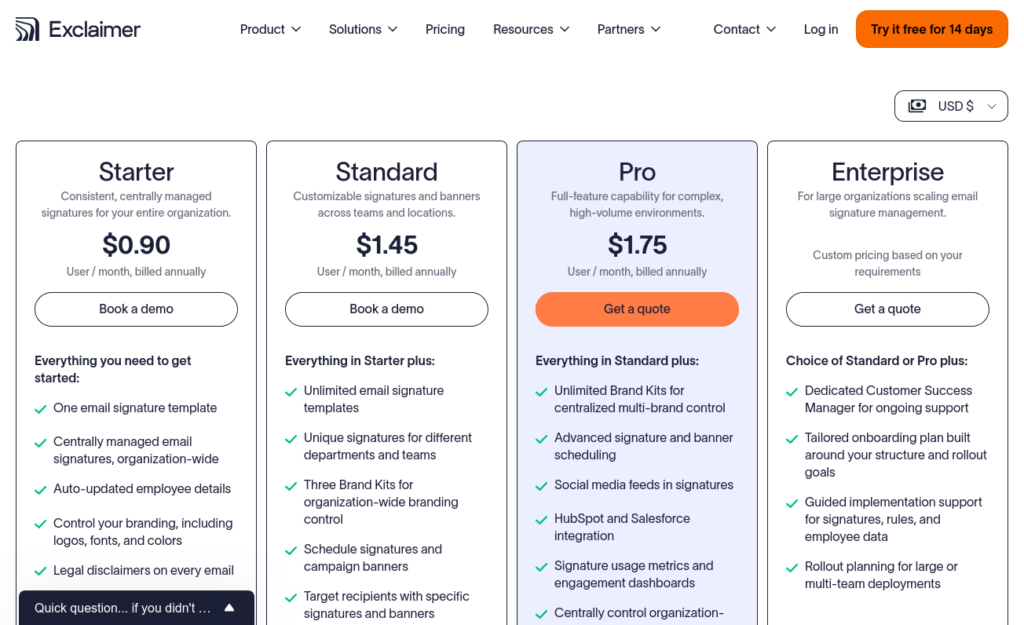
Exclaimer remains a strong option. The deciding factor is how well its features, deployment model, and pricing match your organization.
Why businesses look for Exclaimer alternatives
Email signature management sounds like a simple design task, but it quickly becomes a puzzle involving IT administration, marketing, and legal compliance.
While tech giants like Microsoft and Google offer built-in options, their native tools usually come with annoying roadblocks:
- The Microsoft 365 Bottleneck: Mail flow rules can standardize signatures, but Microsoft notes key gaps: replies may place them below the full thread, users cannot see server-side signatures in Sent Items, and embedded images are unsupported.
- The Google Workspace Disconnect: Gmail lets each user create a signature but offers no native central management. Without a third-party tool, formatting and brand consistency depend on employees.
Because of those native limitations, businesses usually start shopping around for Exclaimer competitors when they need something highly specific. Typically, they are looking for:
- Better pricing structures: More predictable or lower costs for smaller teams that don’t want to hit user minimums.
- Ecosystem specialists: A Microsoft-only tool with deeper IT controls, or a streamlined Google Workspace tool that strips out unnecessary Microsoft clutter.
- Smart routing: A client-side setup that manages signatures without rerouting corporate email through external servers.
- Flawless delivery: Reliable server-side deployment that looks perfect across all devices and email clients.
- Advanced marketing tools: Sharper banner targeting, deeper analytics, or native CRM integrations.
- Multi-tenant management: Easier control dashboards built specifically for MSPs and marketing agencies managing several clients.
- Simpler workflows: A clean, intuitive interface that marketing or operations teams can actually use without constantly bugging IT.
What to look for in an Exclaimer alternative
The best alternative is not the one with the most features, but the one that fits your email setup and operating model.
Email platform support
Check whether the platform integrates natively with Microsoft 365, Google Workspace, Exchange, or mixed environments. “Works with Outlook” can sometimes mean little more than manual copy-and-paste.
Deployment method
- Server-side: Adds the signature after sending for consistent results across devices, but may require mail-flow changes.
- Client-side: Shows the signature while composing, but depends on add-ins, APIs, or local installations.
Directory synchronization
Look for automatic syncing with Microsoft Entra ID, Google Directory, Active Directory, or HR systems to keep employee details current.
Brand controls
Locked templates, conditional fields, and central updates help prevent inconsistent fonts, colors, and layouts.
Campaign and compliance features
Also check for campaign scheduling and consistent legal disclaimers across company emails.
Quick comparison of the best Exclaimer alternatives
With several email signature management platforms available, choosing the right one can depend on your business size, email platform, budget, and campaign needs.
| Tool | Best for | MS365 | Workspace | Campaign banners | Starting price | Ideal business size |
|---|---|---|---|---|---|---|
| CodeTwo | Advanced Microsoft 365 administration | Yes | No | Yes | Pricing calculator; 10-user minimum | Mid-size and enterprise |
| WiseStamp | Easy SMB deployment and signature design | Yes | Yes | Grow plan | $19/month plus $1 per employee annually | Individuals to mid-size teams |
| Rocketseed | Managed server-side deployment | Yes | Yes | Yes | $705/year for 50 users, plus setup | 50+ employees |
| Letsignit | Brand governance and marketing campaigns | Yes | Yes | Yes | Contact sales | Mid-size and enterprise |
| MySignature | Design-focused small teams and agencies | Yes | Yes | Yes | Free and paid plans | Individuals and SMBs |
| Crossware | Server-side control across several platforms | Yes | Yes | Yes | Quote-based per-user pricing | Mid-size and enterprise |
| SignatureSatori | Google Workspace-only companies | No | Yes | Yes | Subscription with five-user minimum | Small and mid-size teams |
| Bybrand | SMBs, help desks, and lean IT teams | Yes | Yes | Basic | $8/month for ten signatures | Small and mid-size teams |
| Opensense | Demand generation and regulated enterprises | Yes | Yes | Advanced | $1/user/month with $350 minimum | Mid-size and enterprise |
| Xink | MSPs and mixed Microsoft/Google environments | Yes | Yes | Yes | Dynamic per-user pricing | SMBs to enterprise |
Pricing was checked in July 2026. Taxes, minimum subscriptions, onboarding fees, and enterprise discounts may apply. Public plans can also change based on user count and billing period.
Best Exclaimer alternatives
See the detailed one-by-one comparison below, with each option broken down individually to make the key differences easier to understand and compare.
1. CodeTwo Email Signatures 365
Best for: Microsoft 365 organizations that want advanced, IT-led deployment.
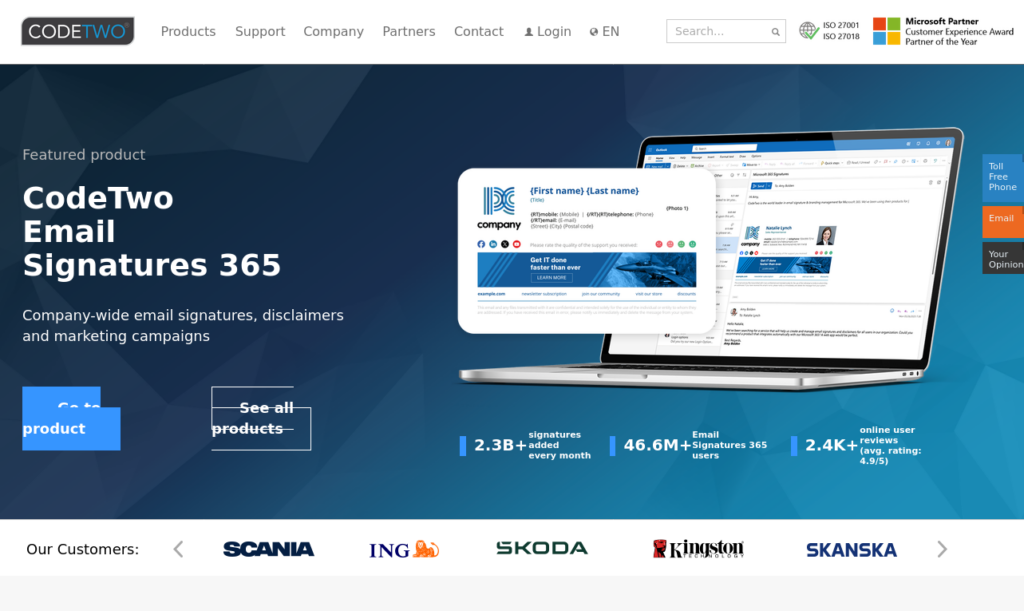
CodeTwo is Exclaimer’s closest rival for Microsoft-only environments, with cloud, Outlook, and hybrid deployment. Admins can manage templates, disclaimers, targeting rules, automatic replies, campaigns, and permissions in one place.
Its single plan includes all major features, a 10-license minimum, and a 14-day trial. Annual pricing for 10 users starts at $1.22 per user per month, with volume discounts.
Google Workspace support falls outside its scope, while cloud deployment can require more technical setup than client-side tools.
- Works well for: Microsoft 365, Outlook, legal disclaimers, advanced rules, server-side signatures, and large IT-managed teams.
- May not fit: Google Workspace companies or small businesses that do not need advanced deployment controls.
- Pricing note: CodeTwo uses a calculator based on subscription length and license count. A minimum of ten licenses applies.
2. WiseStamp
Best for: Small businesses that value easy setup and strong signature design.
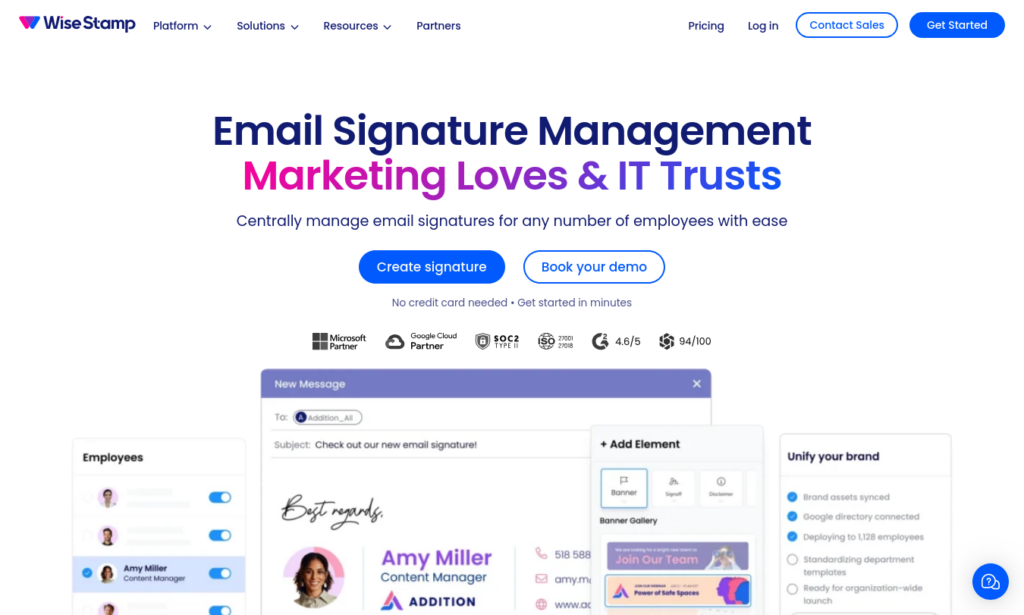
WiseStamp combines a visual signature builder with centralized management for Microsoft 365 and Google Workspace. It can synchronize employee data, install signatures, organize users into departments, and manage branded templates.
Its Basic plan starts at $19 per month plus $1 per employee when billed annually. The Grow plan adds campaign banners, click analytics, rules, automations, and more advanced signature flows. WiseStamp is more accessible than many enterprise tools, allowing marketing or operations teams to manage signatures without heavy IT involvement
The trade-off is cost structure. The fixed monthly fee sits on top of per-employee pricing, and important campaign tools require a higher plan. Companies with advanced routing or compliance needs may also prefer CodeTwo, Crossware, or Exclaimer.
- Works well for: Small businesses, design-led teams, Google Workspace, Microsoft 365, departments, and simple campaign management.
- May not fit: Companies that need complex server-side deployment or the lowest possible cost at scale.
- Pricing note: Pro+ starts at $9 per month for individuals. Business plans start at $19 per month plus $1 per employee annually.
3. Rocketseed
Best for: Organizations with at least 50 employees that want managed server-side deployment.
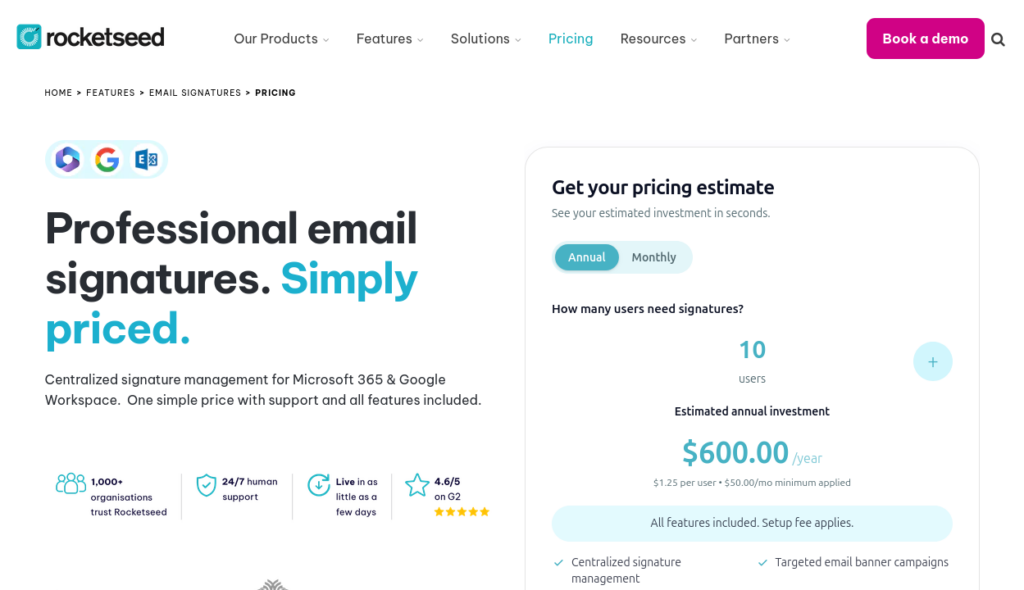
Rocketseed offers a comprehensive package that centrally deploys signatures across Microsoft 365 and Google Workspace, combining standard signatures, marketing banners, disclaimers, and tracking analytics under one roof. Its real standout feature, however, is its service-led model. I
Instead of handing you the keys to the software and leaving you to struggle with independent technical and design setup, Rocketseed provides hands-on guidance and ongoing support throughout the entire process.
Pricing reflects this high-touch approach. Public annual plans start at $705 for 50 employees, while monthly billing starts at $73 for that same 50-user tier, and a one-time setup fee may apply.
Rocketseed is a good choice if flawless deployment and human technical support matter more to you than finding the lightest, cheapest software on the market. Just keep in mind that its strict 50-user entry point makes it much less practical for smaller teams.
- Works well for: Server-side signatures, Microsoft 365, Google Workspace, campaign banners, analytics, compliance, and managed onboarding.
- May not fit: Teams with fewer than 50 employees or businesses that want a self-service tool with minimal implementation.
- Pricing note: Pricing includes core features and support, but buyers should include the setup fee in their total cost.
4. Letsignit
Best for: Larger organizations that want marketing flexibility without removing IT oversight.

Letsignit treats the signature as both a brand-control layer and a communications channel. Teams can deploy signatures and banners by employee, department, brand, or campaign. The platform targets organizations from 50 employees to very large enterprises.
The division of responsibilities is useful. Marketing can update creative assets and campaigns, while IT retains control over security, permissions, data, and deployment. Letsignit also supports surveys, vCards, analytics, and large-account administration, making it best suited to companies that use signatures as an active communication channel.
The limitation is buying simplicity. Pricing requires contact with the vendor, and the platform may feel broad for a company that only needs a few standardized signatures.
- Works well for: Multi-brand companies, European enterprises, marketing campaigns, Microsoft 365, Google Workspace, and controlled access.
- May not fit: Small businesses that prioritize transparent pricing and a short self-service setup.
- Pricing note: Pro and Enterprise plans are available, but current public dollar pricing is not displayed.
5. MySignature
Best for: Freelancers, agencies, founders, and design-focused small teams.
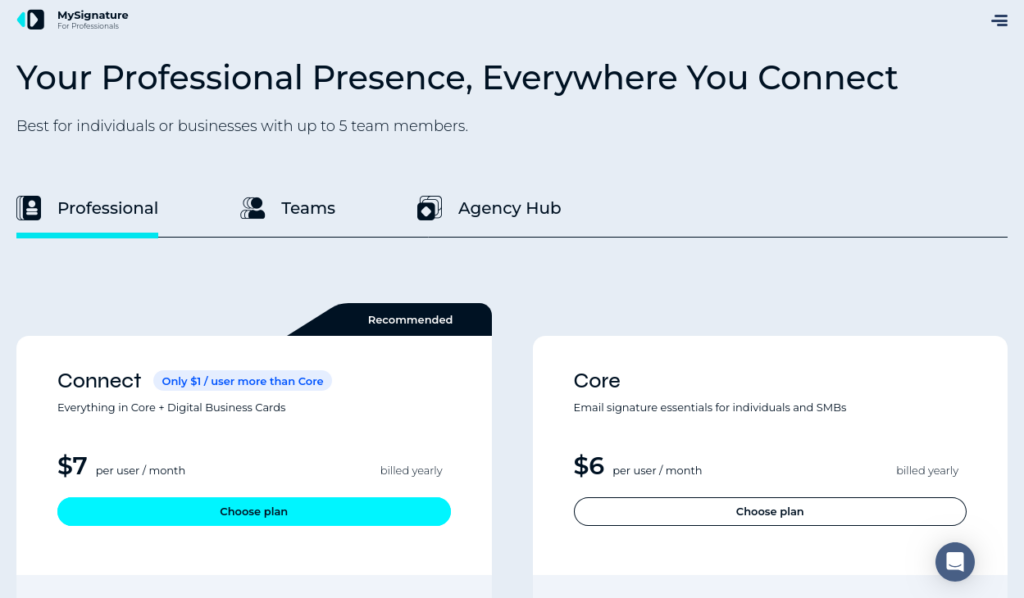
MySignature began with individual signature creation but now offers centralized management for Microsoft 365 and Google Workspace. Teams can manage templates, employee data, branding, banners, and signatures across different devices.
Its main differentiator is client-side configuration. MySignature states that it does not store, read, or reroute corporate emails. Signatures synchronize to users’ devices and remain visible while they compose messages.
This approach reduces mail flow complexity and can make implementation more comfortable for smaller organizations. It is also useful for agencies that create signatures for several brands but do not require enterprise routing infrastructure.
The trade-off is enforcement depth. Companies that need server-side application, advanced compliance rules, or detailed enterprise analytics may outgrow it.
- Works well for: Professional design, small teams, agencies, Microsoft 365, Google Workspace, and client-side deployment.
- May not fit: Regulated or complex organizations that require mandatory server-side enforcement.
- Pricing note: MySignature offers free and paid plans. Team pricing depends on plan and user count.
6. Crossware Mail Signature
Best for: IT-managed organizations that need server-side signatures across Microsoft 365, Google Workspace, Exchange, or HCL Domino.
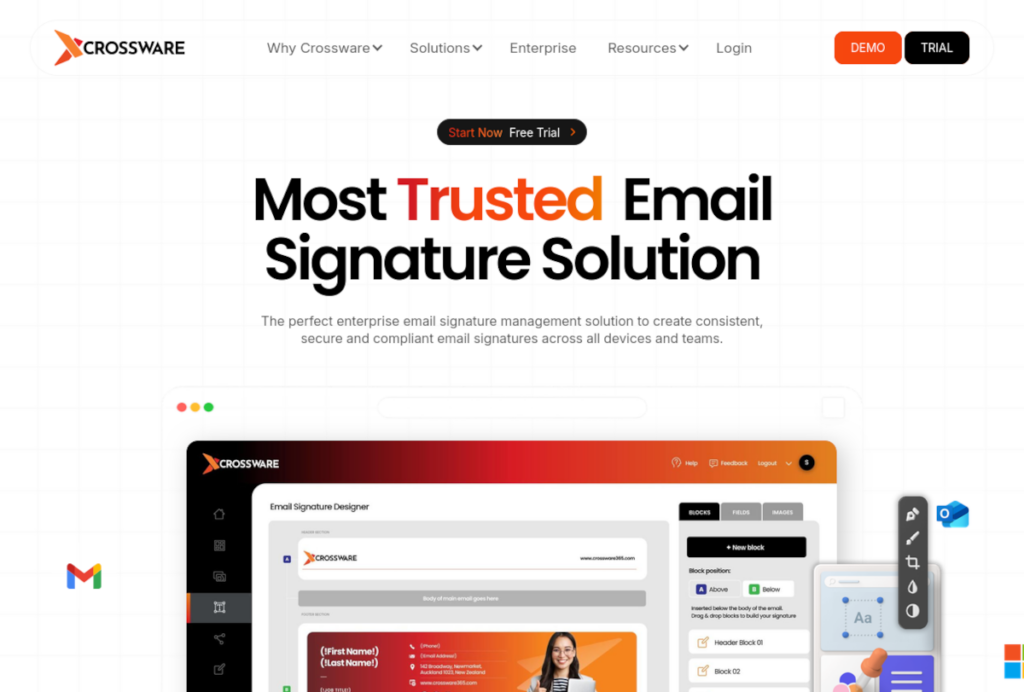
Crossware handles everything on the server side. The platform automatically applies the correct signature immediately after an email is sent, ensuring perfect brand consistency across the board. It works flawlessly whether your team is on Outlook, a mobile device, a web browser, or any other supported client.
Its broad coverage suits legacy Exchange and mixed email environments, with centralized templates, disclaimers, campaigns, and click tracking.
However, that back-end technical model is a double-edged sword. Although it guarantees consistent branding, Microsoft 365 deployment requires Exchange connectors and transport rules, so IT teams should review mail routing, data flows, and rollback plans before implementation.
- Works well for: Microsoft 365, Google Workspace, Exchange, HCL Domino, server-side enforcement, mobile consistency, and regulated businesses.
- May not fit: Small teams that want a lightweight add-in or do not want to change mail flow.
- Pricing note: Crossware licenses the product per unique email user and provides pricing through a quotation.
7. SignatureSatori
Best for: Google Workspace businesses that do not need Microsoft 365 support.
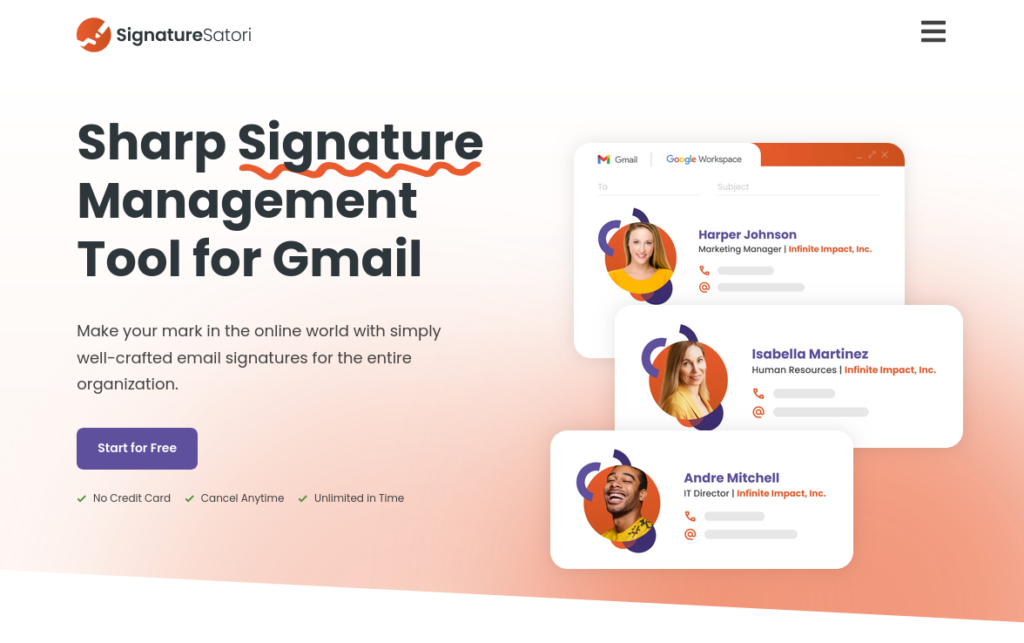
SignatureSatori is built exclusively for Gmail and Google Workspace. Using the Gmail API, it imports employee data from Google Directory, manages organizational units, and automatically pushes company-wide signature updates.
Pricing is flexible, with credit-based and monthly options. Credits suit smaller teams that update signatures occasionally, while subscriptions include unlimited changes, daily directory syncing, and advanced campaign planning. New users also receive five free credits with no card required.
The drawback is zero Microsoft 365 support. Teams with mixed environments or future migration plans should consider multi-platform alternatives such as Bybrand, WiseStamp, Xink, or Exclaimer.
- Works well for: Gmail, Google Workspace, organizational units, Google Directory, recurring campaigns, and API-based deployment.
- May not fit: Microsoft 365 users or organizations with mixed email platforms.
- Pricing note: Subscriptions require at least five users. Credit packages require at least ten credits.
8. Bybrand
Best for: Small and mid-size companies that want centralized control without an enterprise implementation.
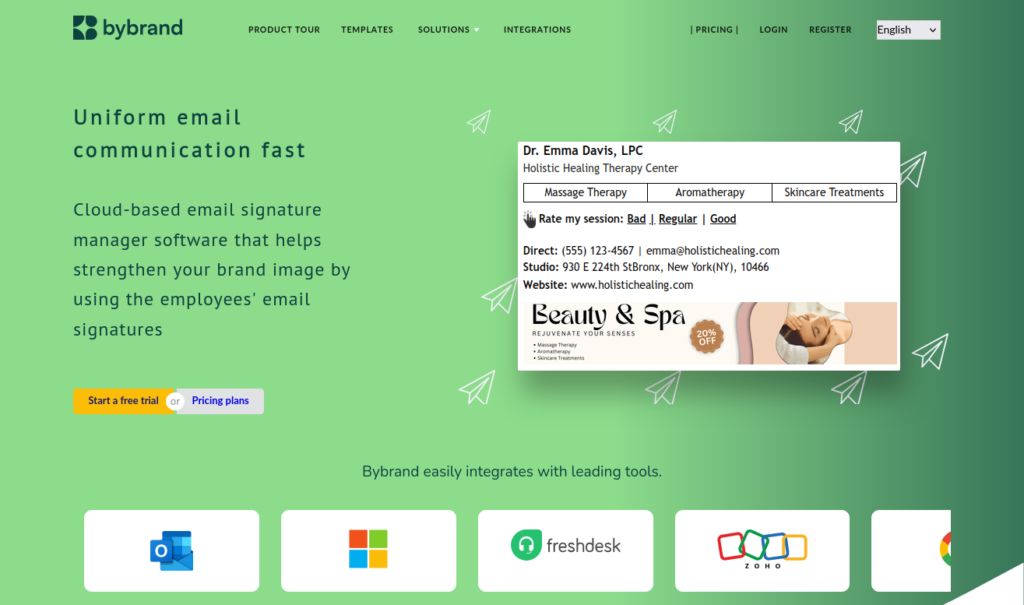
Bybrand occupies the sweet spot right between basic, free signature generators and heavy-duty, complex server-side platforms. It gives teams a centralized way to design, organize, and update signatures on the fly while pulling in live employee data from the tools they already use.
The platform supports Microsoft Entra ID, Google Workspace, Microsoft 365, and help desk platforms. Its Outlook integration can place centrally managed signatures inside the compose window without requiring a server-side routing model.
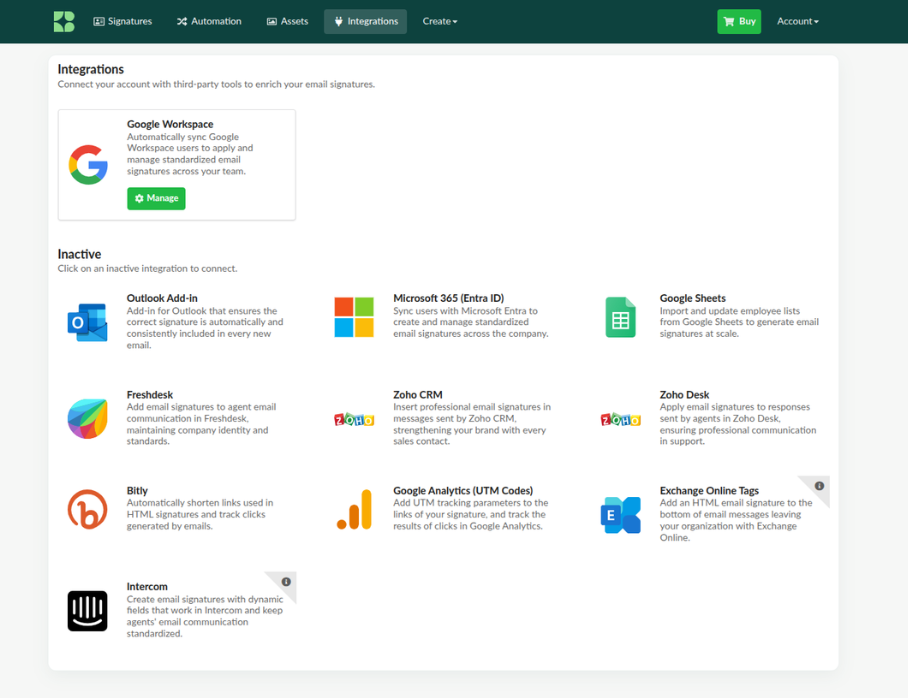
Pricing is very affordable for growing businesses, starting at a flat $8 per month for your first 10 signatures. Scaling up costs $0.80 per month for extra signatures, dropping to $0.50 per month if you add employees automatically via integrations. The base plan packs unlocks full integrations, team access, version history, and image hosting, and you can test-drive it all with a 14-day free trial without handing over a credit card.
The natural trade-off here is enterprise-level depth. Bybrand prioritizes simplicity and agility, while enterprise platforms offer deeper server-side controls, compliance management, and campaign analytics.
- Works well for: SMBs, Microsoft 365, Google Workspace, help desks, department templates, lean IT teams, and predictable entry-level pricing.
- May not fit: Enterprises that require server-side enforcement, complex mail routing, or advanced demand-generation analytics.
- Pricing note: The base plan includes all standard features and up to ten signatures.
9. Opensense
Best for: Sales and marketing teams that want to use employee email as a measurable demand-generation channel.
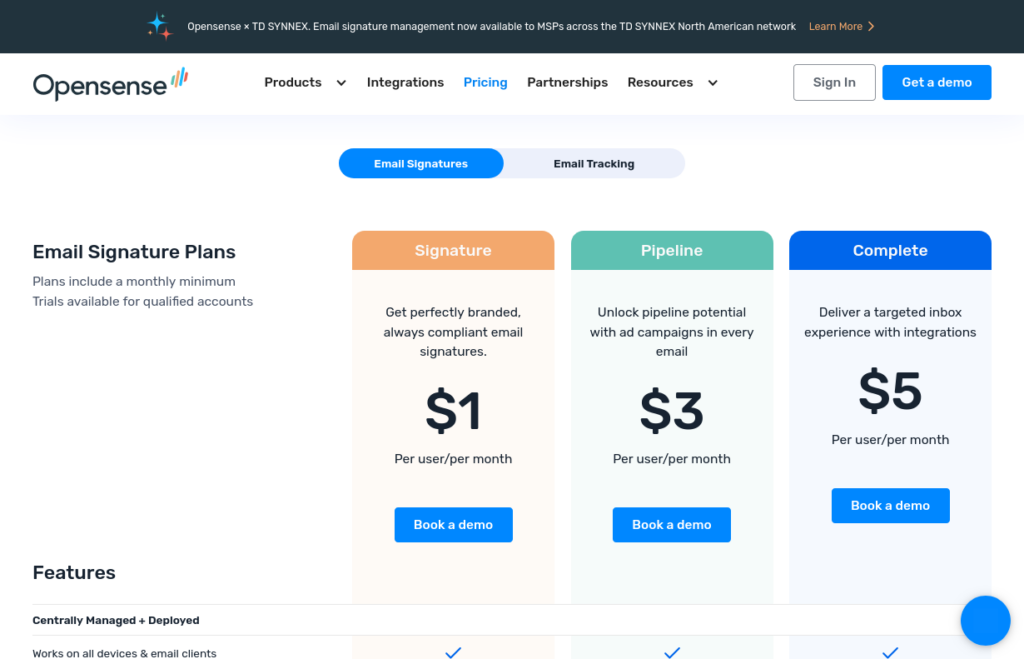
Opensense combines centralized signatures with targeted banners, engagement analytics, CRM integrations, sales tools, and compliance controls.
Marketing teams can segment campaigns by role, region, or audience and track opens, clicks, and engagement, turning signatures into a pipeline channel.
Signature costs $1 per user per month, Pipeline $3, and Complete $5. Each carries a $350 monthly minimum plus a service plan, making Opensense a stronger fit for large, marketing-led organizations than 20-person teams.
- Works well for: Demand generation, CRM integration, campaign targeting, sales analytics, regulated enterprises, Microsoft 365, and Google Workspace.
- May not fit: SMBs that only need consistent signatures or cannot justify the monthly minimum.
- Pricing note: Plans start at $1 per user per month but carry a $350 monthly minimum plus a service plan.
10. Xink
Best for: MSPs and companies managing several directories, platforms, or client environments.
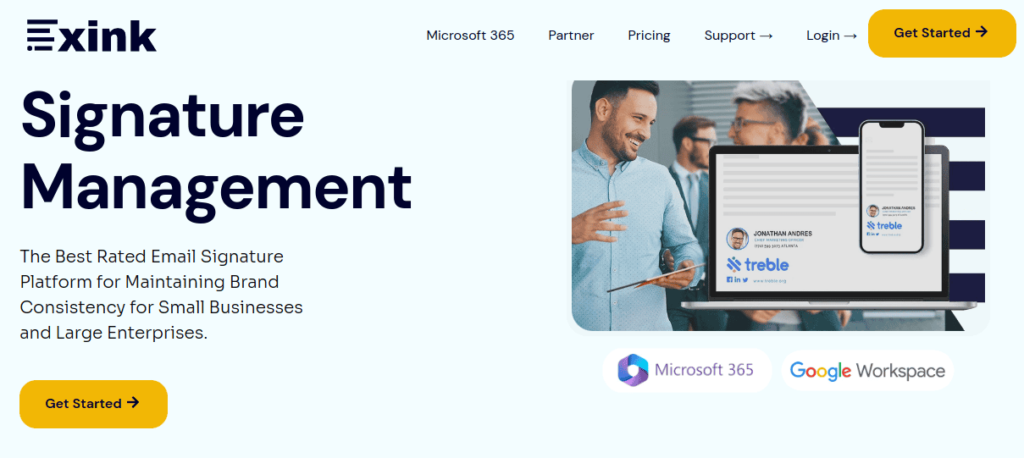
Xink supports Microsoft 365, Google Workspace, Microsoft Entra ID, on-premises Active Directory, SQL sources, APIs, CRM systems, and other environments. It also includes role-based access, scheduled campaigns, tracking, and performance statistics.
This breadth suits organizations that pull employee data from multiple systems, as well as MSPs managing signatures for multiple clients. It can also reduce the need for several separate tools.
The trade-off is implementation complexity: more integrations create more deployment choices, so buyers should assess the exact setup required for their environment.
- Works well for: MSPs, Microsoft 365, Google Workspace, mixed directories, campaigns, role-based administration, and API integrations.
- May not fit: Companies that want a narrow, immediately predictable setup with few configuration choices.
- Pricing note: Xink uses an interactive calculator based on user count, currency, and monthly or annual billing.
Exclaimer vs. CodeTwo
Both offer advanced centralized signature management, but CodeTwo specializes in Microsoft 365. Its single plan includes server-side, client-side, and hybrid deployment, advanced Outlook controls, and 24/7 support. Exclaimer supports Microsoft 365, Google Workspace, and Exchange, with tiered pricing that scales from basic signatures to advanced campaigns. CodeTwo offers deeper Microsoft specialization; Exclaimer provides broader platform flexibility.
Exclaimer vs. Bybrand
Exclaimer provides enterprise-grade deployment, advanced rules, legal disclaimers, campaign scheduling, and corporate governance. Bybrand focuses on affordable, straightforward centralized management, employee data syncing, and template control without external email routing. Exclaimer is the stronger choice when signatures must be applied automatically across all devices, while Bybrand is more practical for smaller companies that want centralized control without enterprise-grade infrastructure.
Exclaimer vs. WiseStamp
WiseStamp makes signature design and team management accessible for SMBs using Microsoft 365 or Google Workspace. Exclaimer adds deeper governance, compliance, targeting, and deployment control for IT-led organizations. WiseStamp uses a monthly platform fee plus per-employee pricing; Exclaimer charges per active mailbox with a ten-user minimum. WiseStamp suits design-led teams, while Exclaimer fits larger organizations with strict deployment policies.
Best Exclaimer alternative by use case
Best for Microsoft 365: CodeTwo provides the deepest Microsoft-focused deployment options. Bybrand offers a lighter Exclaimer alternative for smaller Microsoft 365 teams.
Best for Google Workspace: SignatureSatori is the clearest option for a Google-only company. Bybrand, WiseStamp, and Xink are better when the organization may also need Microsoft support.
Best for small businesses: Bybrand combines centralized management with a low entry cost. WiseStamp works well when visual design and simple marketing features matter more.
Best for marketing campaigns: Opensense offers the deepest demand-generation and CRM features. Letsignit and Rocketseed provide a better balance between marketing and company-wide governance.
Best for server-side deployment: Crossware and Rocketseed support consistent application across devices. CodeTwo is particularly strong in Microsoft 365.
Best for agencies: MySignature is useful for design-focused agencies. Xink is stronger for MSPs managing technical deployments across several customers.
Best for enterprise branding: Exclaimer, Letsignit, Rocketseed, and Crossware all support more complex governance. The best choice depends on platform and deployment requirements.
Pricing considerations
Most email signature management software follows one of four pricing models.
Per-user pricing is straightforward but can become expensive as employee numbers grow. Exclaimer, CodeTwo, Crossware, and Opensense use some form of per-user or per-mailbox licensing.
Base fee plus user pricing combines a platform charge with a per-employee cost. WiseStamp follows this model for its business plans.
Bundled user tiers price the platform around fixed employee bands. Rocketseed publishes prices for 50, 100, 150, and 200 users.
Flexible signature or automation pricing separates created signatures from employees synchronized through an integration. Bybrand uses this approach.
Buyers should also check for minimum user counts, setup fees, support plans, annual commitments, and paid campaign features. A low per-user figure can be misleading when a substantial monthly minimum applies.
Pros and cons of switching from Exclaimer
Pros
- Lower costs for small or specialized teams.
- A simpler setup with fewer administrative layers.
- Better alignment with Microsoft 365 or Google Workspace.
- More suitable client-side or server-side deployment.
- Stronger marketing, CRM, or analytics capabilities.
- More direct onboarding or vendor support.
- Better multi-client management for agencies and MSPs.
Cons
- Existing templates may need to be rebuilt.
- Directory fields and user groups may need to be remapped.
- Server-side products may require new connectors or transport rules.
- Marketing reports may not transfer to the new platform.
- Administrators must learn a new dashboard.
- Employees may need a new Outlook add-in or installation process.
- A poor cutover can result in missing or duplicate signatures.
How to migrate from Exclaimer
1. Document the current setup
List every active template, department rule, disclaimer, banner, shared mailbox, and exception. Remove obsolete configurations before recreating them elsewhere.
2. Select the deployment model
Decide whether signatures must appear during composition, after sending, or in both places. This choice will narrow the market more quickly than comparing template counts.
3. Clean employee data
Review Microsoft Entra ID, Google Directory, Active Directory, or HR records. Missing job titles and phone numbers will remain missing after migration.
4. Run a controlled pilot
Test the new platform with a representative group. Include desktop Outlook, new Outlook, browser-based email, mobile devices, shared mailboxes, replies, and forwarded messages.
5. Plan the cutover
Remove old add-ins, routing rules, or connectors only after the replacement works correctly. A staged transition and documented rollback plan can reduce the risk of duplicate signatures or interrupted email flow.
How to choose the right Exclaimer alternative
Start with your existing email ecosystem. A pure Google Workspace shop doesn’t need a heavy, Microsoft-centric enterprise platform, while a Microsoft 365 company with strict compliance shouldn’t cut corners on security just to save a few bucks.
Next, choose your deployment style. Server-side tools enforce strict branding across every device. Client-side tools favor visibility, letting employees see their signatures during composition without forcing changes to your backend mail routing.
From there, look at the real costs for your current team and next year’s hiring goals. Make sure your budget factors in onboarding, technical setup, marketing campaign add-ons, and internal IT hours.
Finally, skip the generic, polished sales demo and test what actually matters. Throw your real templates, custom directory fields, shared mailboxes, mobile clients, banners, and legal disclaimers at the platform to prove it can survive your actual environment.
Final verdict
CodeTwo is the strongest all-round Exclaimer alternative for Microsoft 365-heavy organizations that need tight IT control, hybrid deployment, and simple pricing.
Bybrand suits smaller teams, help desks, and lean IT departments, with affordable Microsoft and Google integrations and a lighter setup.
Opensense fits marketing-led companies that can justify its minimum spend, while SignatureSatori works best for Google Workspace-only teams. Crossware and Rocketseed stand out for server-side consistency, legacy Exchange support, and hands-on implementation.
The best choice matches your infrastructure, deployment needs, IT capacity, and user count.
Frequently asked questions
What is the best Exclaimer alternative?
CodeTwo suits Microsoft 365 organizations needing advanced administration and server-side deployment. Bybrand serves SMBs seeking simpler, centralized management; Opensense leads in marketing analytics; and SignatureSatori specializes in Google Workspace. The best email signature management platform depends on your environment, deployment method, size, and compliance needs.
Which Exclaimer competitor is best for Microsoft 365?
CodeTwo is the strongest Microsoft 365-focused Exclaimer competitor, with cloud, Outlook, and hybrid deployment, centralized rules, disclaimers, and 24/7 support. Bybrand suits smaller teams without server-side routing, while Crossware supports server-side enforcement and Exchange.
Which Exclaimer alternative works best with Google Workspace?
SignatureSatori leads for Google Workspace-only teams, using Google Directory and the Gmail API without changing email flow. Bybrand and WiseStamp fit smaller Google and Microsoft Teams, while Rocketseed, Crossware, Opensense, and Xink serve larger, complex environments.
Is CodeTwo better than Exclaimer?
CodeTwo suits Microsoft 365-only companies seeking one feature-complete plan and specialist support. Exclaimer offers tiered pricing and wider coverage across Google Workspace, Microsoft 365, and Exchange.

Manage email signatures with more control
Bybrand helps companies generate, administer, and distribute email signatures for employees in one place.