This post is also available in:
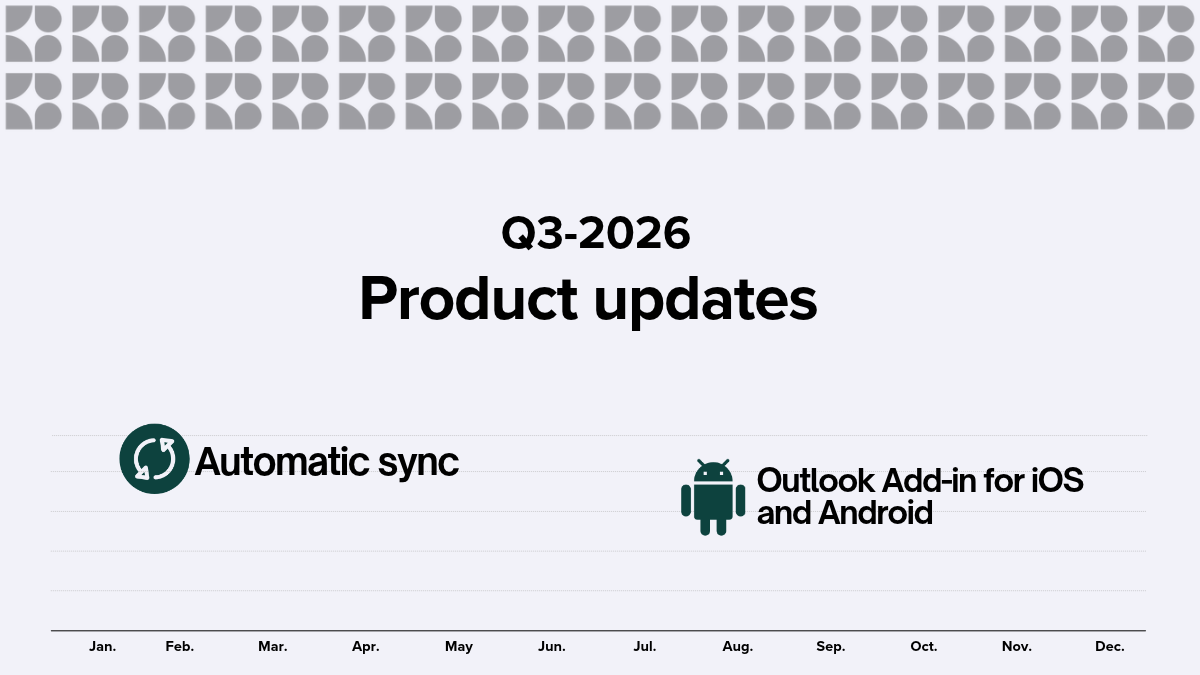
In Q3 2026, Bybrand introduced enhancements to automate email signature administration, keep team information current, and minimize integration errors. These updates also broaden the Outlook Add-in’s capabilities while making everyday tasks more transparent and dependable.
Highlights
The main new feature this quarter is the automatic synchronization of placeholders. After connecting a group to Google Workspace or Microsoft Entra ID, administrators can set up a daily, every-three-day, or weekly schedule to update signature data without manual effort.
As a result, information such as job title, phone number, and other directory fields remain aligned with the company’s official records. It’s a simpler way to keep email signatures consistent as employee data changes.
Automatic synchronization of placeholders
You can now schedule the synchronization of directory data directly in the Automation area. The routine updates the employees already linked to the group and applies the changes in bulk, helping to keep signatures up-to-date at all times.
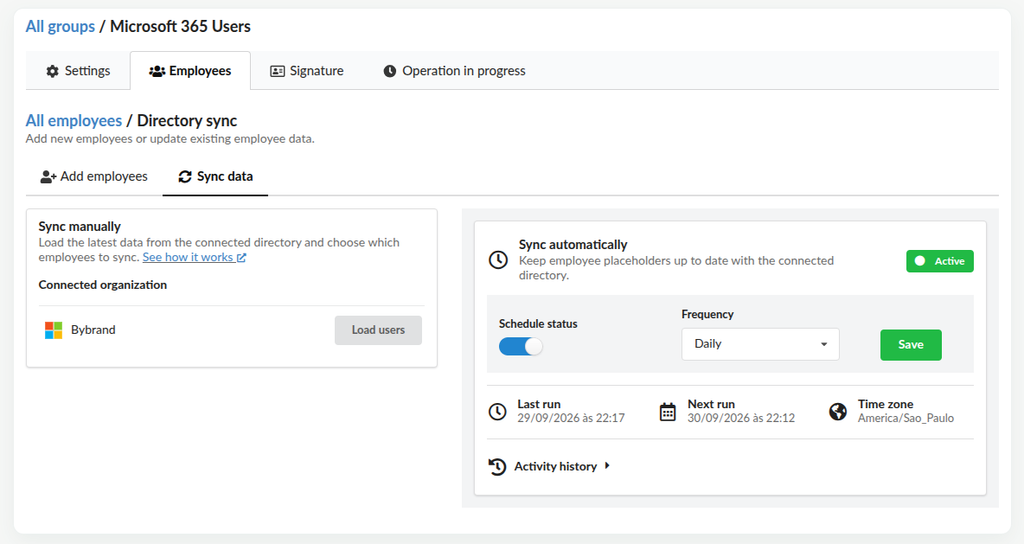
The configuration is a one-time setup that can be adjusted to the frequency that makes sense for each team.
Automatic deployment
Soon we’ll also have the feature for automatic deployment of email signatures.
Unified UI for adding employees and syncing data
We’ve also improved the experience of managing employees linked to directories. The steps for adding employees and synchronizing data have been streamlined into a clearer workflow, making it easier to manage groups integrated with Google Workspace and Microsoft Entra ID.
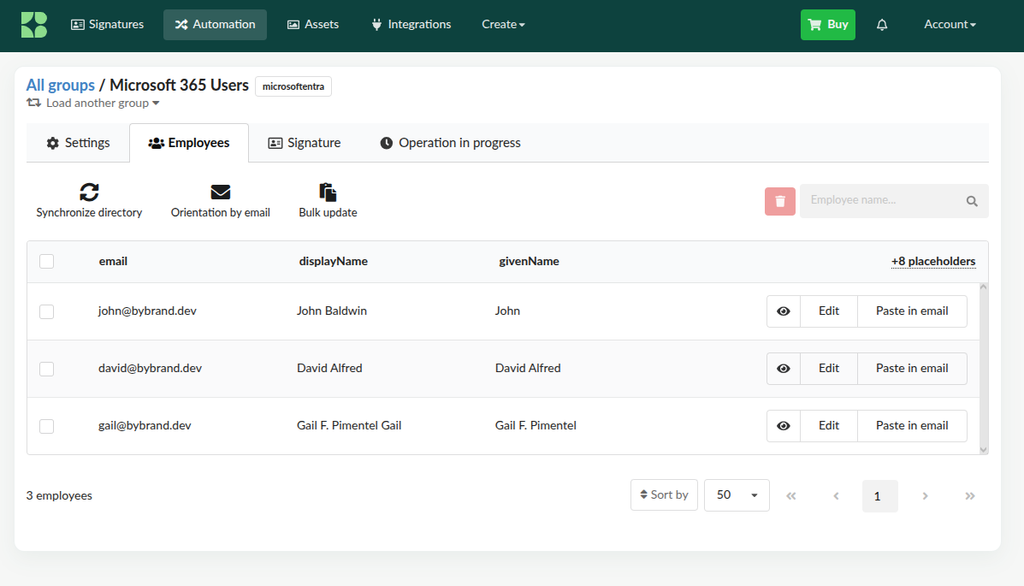
This change reduces unnecessary steps and helps administrators identify where to import users, review data, and run synchronizations.
Notification center
Bybrand now features a global notification center. It aggregates important events and errors that require attention, especially regarding integrations and background processes.
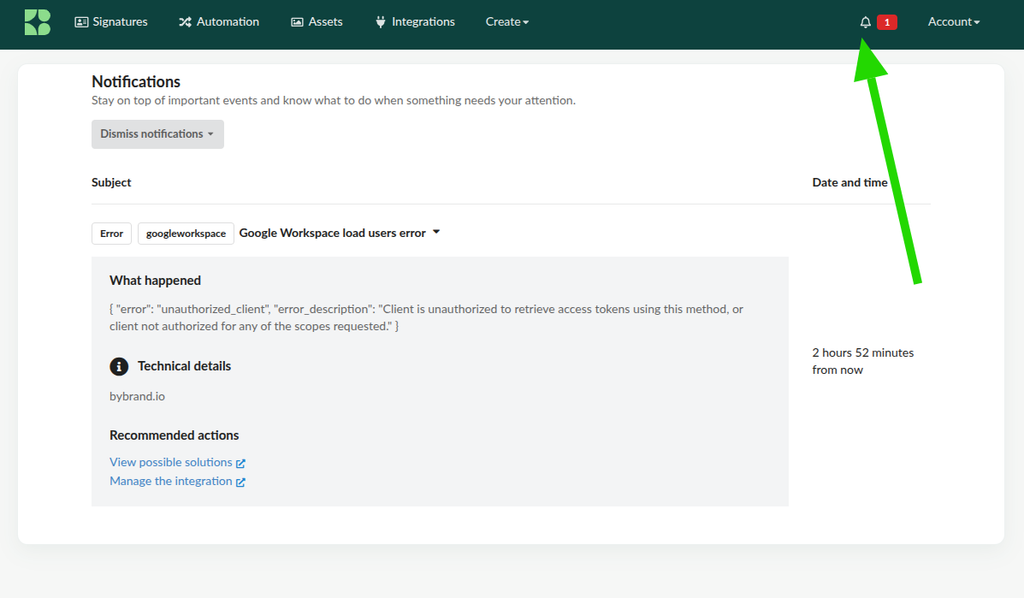
The center can be accessed via the bell icon in the main navigation bar.
When something doesn’t go as expected, the notification explains what happened, provides technical details, and suggests possible next steps, such as retrying, reviewing the integration, or looking up a solution.
Outlook add-in for iOS and Android
Bybrand’s Outlook Add-in now works better on mobile devices. This improvement expands compatibility with Outlook for iOS and Android, allowing more people to use the add-in in their daily lives, even when away from their desktop.
See the full presentation of this new feature at: The Bybrand Outlook Add-in is now available on iPhone, iPad, and Android
Testing integrations before import
Before starting a full import, you can now test whether the integration is ready. The validation checks key elements such as the administrator account, permissions, domain, users, and groups.
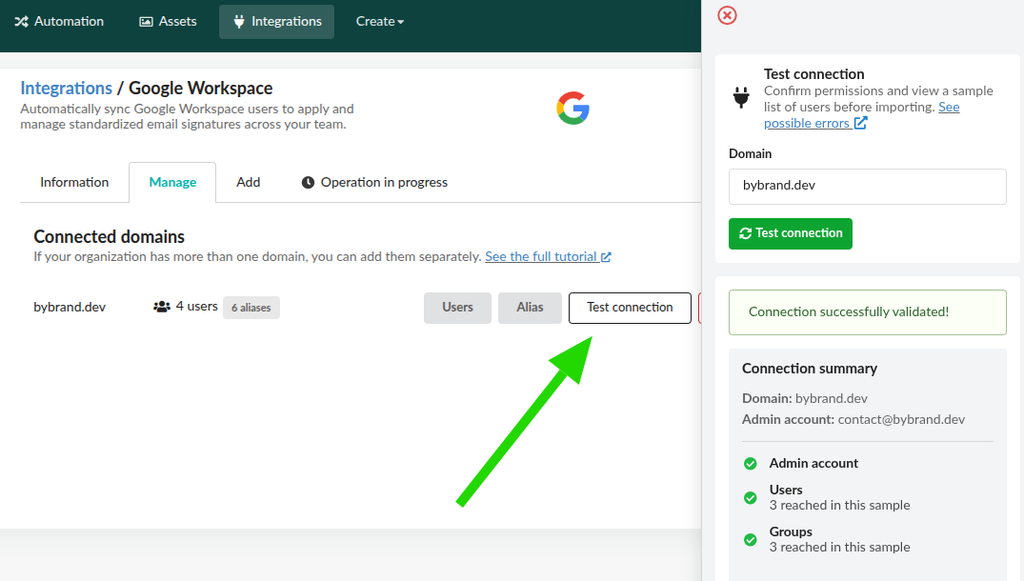
This feature helps identify configuration issues before they affect the employee base, preventing incorrect imports and reducing the need for corrective work later on.
Importing profile photos by group
Importing users by groups, available for Google Workspace and Microsoft Entra ID, can now also include available profile photos.
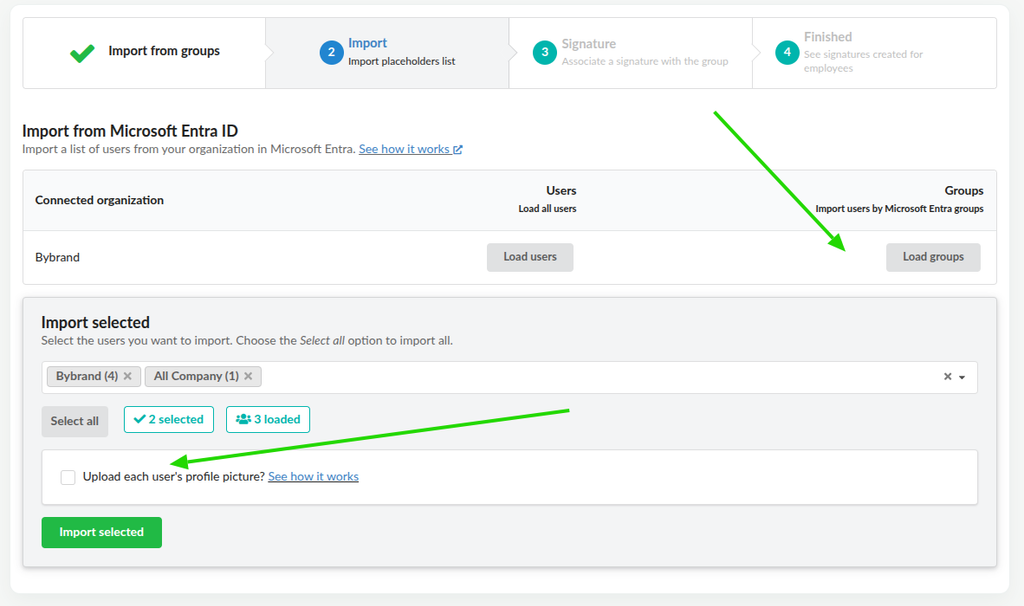
Additionally, when syncing data, Bybrand can automatically populate the {{photo}} placeholder when it is empty and a photo is available in the directory. This ensures that employee profiles are more complete and standardized without requiring manual image uploads.
For more details, visit: Synchronize employee profile photos.
Other improvements
This quarter also brought minor interface and usability tweaks to simplify day-to-day tasks related to managing email signatures, employees, and integrations.