This post is also available in:
Key takeaways
- MySignature offers an easy way to create professional email signatures, but users may seek MySignature alternatives for better control and customization.
- Alternatives like Bybrand cater to businesses needing centralized management, while HubSpot and HoneyBook serve freelancers and creative professionals.
- Evaluating these tools involves considering ease of creation, quality of customization, level of control, and specific limitations.
- Bybrand excels for teams requiring HTML signatures and visual consistency, whereas simpler options like Woodpecker fit individual needs.
- Choosing the right MySignature alternative depends on your specific requirements, whether for personal branding or corporate management.
If you’re researching MySignature alternatives, you probably want to create a professional email signature but aren’t sure yet if this is the best tool for your case.
MySignature is popular, easy to use, and serves individual professionals well, but there are MySignature alternatives that can offer more control, better value for money, more flexible HTML features, or a more suitable experience for teams.
Straight to the point. In this guide, you’ll see a practical analysis of the main MySignature alternatives, including strengths, limitations, and the type of user best suited for each tool.
The idea isn’t just to list options, but to help you choose a solution that actually works in day-to-day use.
What is MySignature?

Quickly, MySignature is an online tool for creating professional email signatures compatible with clients like Gmail, Outlook, Apple Mail, and Thunderbird.
The platform allows you to insert personal information, job title, company, photo, logo, social links, banners, and call-to-action buttons, all through a visual interface.
For freelancers, consultants, and small businesses, this can be quite convenient.
MySignature’s main appeal lies in its simplicity. You don’t need to know HTML, you don’t need to hire a designer, and you can create a visually organized signature in just a few steps.
For those looking to move from a basic text signature and use something more professional, the tool serves this purpose well.
Pricing and plans page:
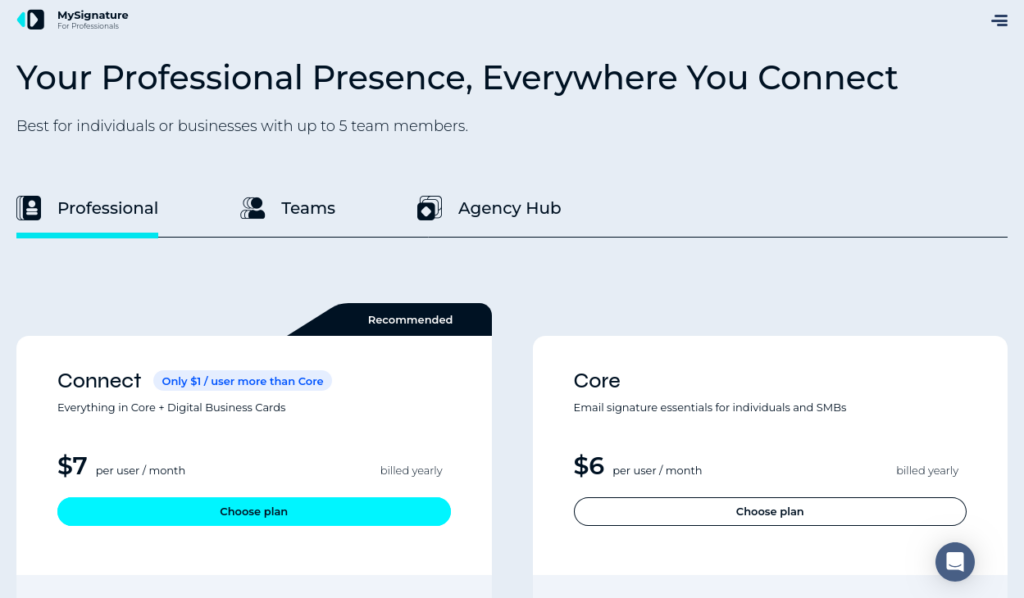
Additionally, MySignature offers extra features in some plans, such as click analytics, tracking, and management options. These features can be useful for those who want to measure the performance of links, campaigns, and calls to action included in the signature.
Why look for MySignature alternatives?
Although it’s a well-known tool, MySignature doesn’t meet all cases. Many users start with the free version but end up needing paid features to remove limitations or better customize the signature.
The inconsistency starts right on the homepage, which presents the tool as a “free email signature generator.” However, when accessing the pricing page, there is no free plan option available.
https://mysignature.io/pricing
Free signatures may include the tool’s branding or have little flexibility. For personal use, this may be acceptable, but for businesses and professionals seeking a more solid image, it can harm the perception of professionalism.
Another point is team management. Companies with multiple employees need to maintain visual consistency and update information easily, something difficult to do manually.
Additionally, there are technical difficulties. Some organizations need well-structured HTML signatures, compatible with different email clients and easy to implement at scale. In these cases, more complete solutions make a difference.
How we evaluated the best MySignature alternatives
To compare MySignature alternatives, we considered practical criteria that directly affect the actual use of the tool.
1. Ease of creation
The first criterion was ease of creation, because a good signature generator needs to be simple enough for users without technical knowledge.
2. Quality of customization
The second criterion was the quality of customization.
We also evaluated whether the tool allows creating signatures with consistent visual identity, clickable links, social icons, photos, logos, banners, and brand elements. A professional signature shouldn’t just be beautiful; it needs to be functional.
3. Level of control
Another point analyzed was the level of control for businesses. Tools that allow managing multiple signatures, standardizing departments, or integrating with corporate platforms tend to be more suitable for teams. Free and simple tools may be better for freelancers or individual use.
4. Limitations
Finally, we considered important limitations, such as image-only signatures, absence of HTML, platform branding, little design flexibility, and difficulty deploying at scale. This approach makes the comparison more honest and useful for those who really need to decide.
The comparative result
Before choosing a tool, remember that they vary in control, customization, and ease of use. Some are ideal for those seeking speed, while others serve companies that need to standardize signatures at scale.
| Tool | Best for | Main advantage | Main limitation |
|---|---|---|---|
| Bybrand | Businesses and teams | Centralized management and HTML email signature | May be more complete than necessary for individual use |
| HubSpot | Free individual use | Ease and zero cost | Little control for teams |
| HoneyBook | Creative professionals | Visual focused on personal brand | Less suitable for corporate management |
| Canva | Signature visual design | Creative freedom | Not a dedicated HTML generator |
| Woodpecker | Basic signatures | Simplicity and speed | Little advanced customization |
Below, see options for different profiles, from freelancers to corporate teams, with their main advantages and limitations.
HubSpot: best free alternative for individual use
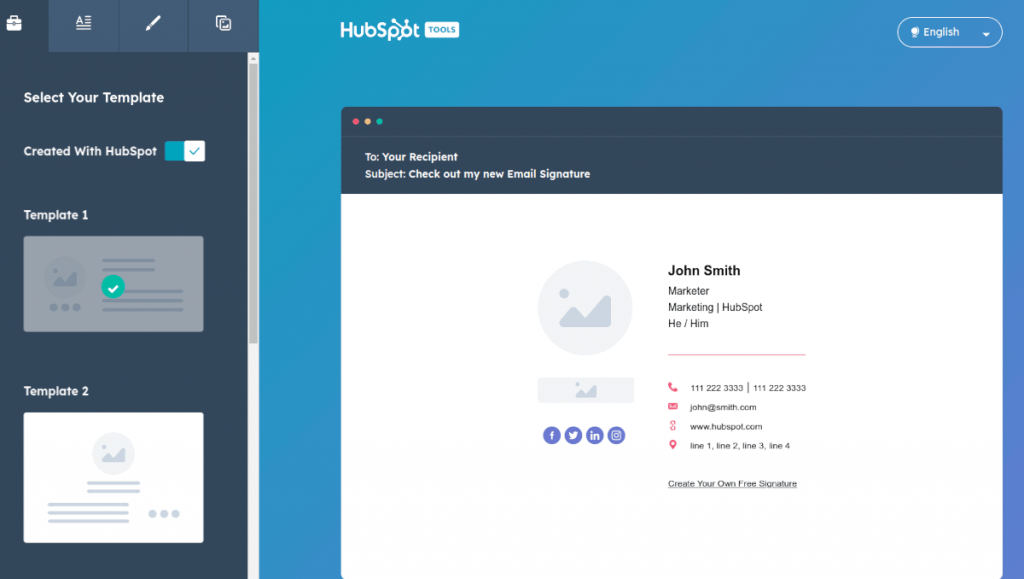
The HubSpot email signature generator is a MySignature alternative for creating professional signatures for free. It's simple and allows you to include a name, job title, phone, website, social networks, photo, logo, and call to action.
You choose a template, fill in the fields, and copy the signature to your email. It's ideal for freelancers, salespeople, consultants, and small businesses that need a quick, no-cost solution. The templates have good visual quality and don't require technical knowledge.
On the other hand, it's not the best option for companies that need to manage signatures at scale, as it doesn't offer centralized control.
HubSpot strengths
Easy to use, intuitive, and free. Allows creating professional signatures with elements like social icons and calls to action.
HubSpot limitations
Limited scalability and little technical control. Not ideal for advanced customization, department management, or mass deployment.
Best for: freelancers, consultants, salespeople, self-employed professionals, and small businesses that need a free signature.
Bybrand: best MySignature alternative for SMB
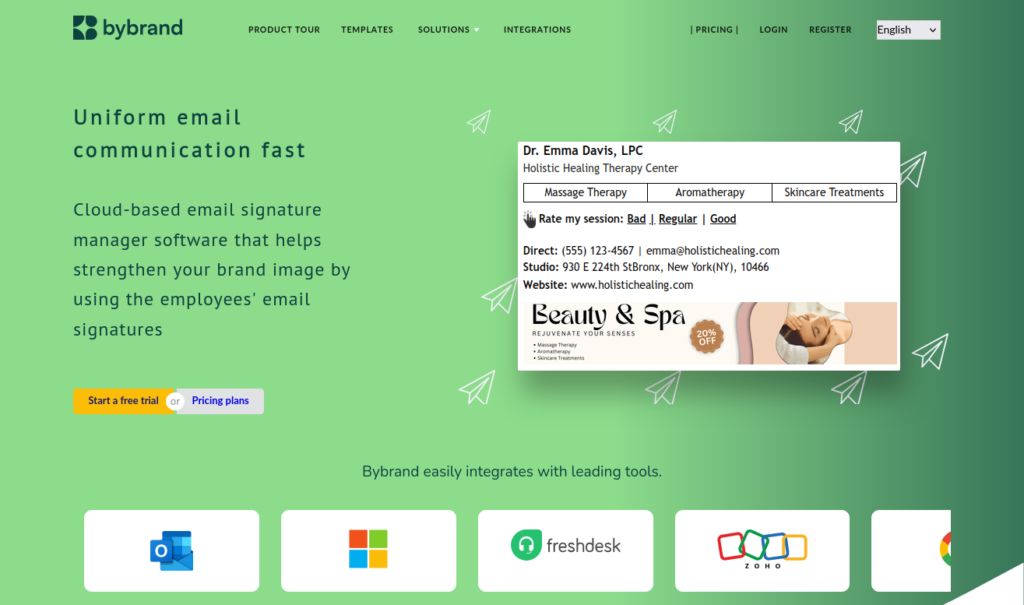
Bybrand is one of the strongest MySignature alternatives for companies that need to create, manage, and standardize professional email signatures. Unlike simple generators for individual use, it focuses on HTML signatures, centralized management, and team deployment.
With Bybrand, you can create templates, customize fields, and maintain a consistent visual identity, avoiding errors like distorted logos, broken links, or outdated information.
The tool also offers flexibility to adapt signatures to areas like sales, support, marketing, and HR, being useful for communication and campaigns.
See also:
- Email signature use case for consulting firms
- Email signature use case for startups
- Marketing solutions in email signatures
Bybrand strengths
The main highlight is centralized control, which keeps all signatures aligned with the visual identity, even with different email clients.
Another strong point is the focus on HTML signatures, allowing clickable links, better structure, and professional use.
It's also suitable for companies that update signatures frequently, avoiding rework.
Bybrand limitations
May be more complete than necessary for those who only need a simple personal signature.
There may also be an initial setup curve, as it requires structuring templates and standards.
Best for: companies, teams, agencies, consultancies, B2B businesses, and organizations that need professional HTML signatures.
HoneyBook: good option for creative professionals (free)
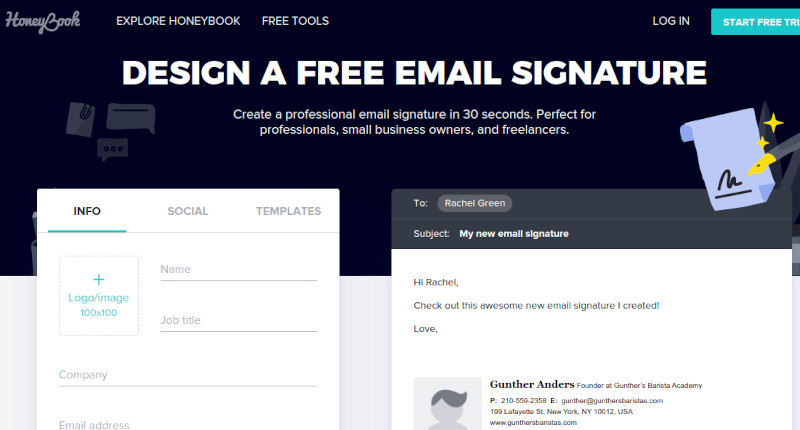
HoneyBook (free) is a MySignature alternative aimed at creative professionals and service providers. It allows creating signatures focused on personal brand, with contact, social links, photo or logo, in a simple and visual way.
It's especially useful for photographers, designers, event producers, coaches, and consultants, helping to reinforce identity and make a good impression. Editing is user-friendly and doesn't require technical knowledge.
On the other hand, it's not ideal for companies with complex needs or management at scale.
HoneyBook strengths
Stands out for visual presentation and simplicity. Allows creating professional signatures without HTML knowledge and reinforcing personal brand with elements like photo, role, and social networks.
HoneyBook limitations
Has limitations for corporate use, with little centralized management and less technical flexibility for advanced HTML signatures.
Best for: creative professionals, freelancers, service providers, and small businesses based on personal brand.
Canva: best for creating the signature visual
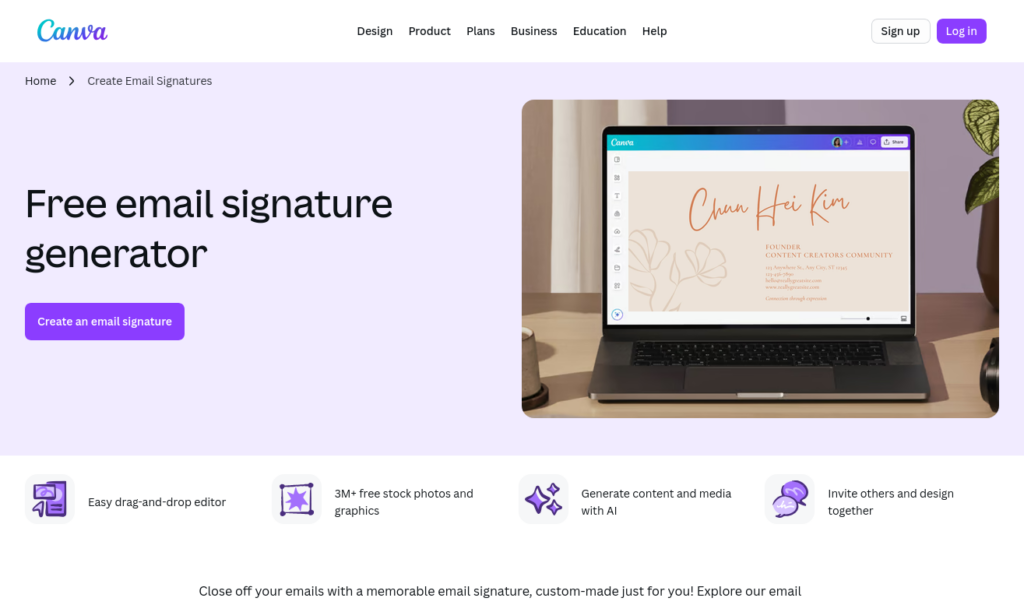
Canva is a popular design platform that can also be used to create email signatures. Among MySignature alternatives, it stands out for creative freedom, variety of templates, and ease of customization.
But there's an important point.
Canva is not a dedicated HTML signature generator. It's great for creating the signature visual, but may not be ideal for a functional version with clickable links and good compatibility across email clients.
Still, it's useful for planning the design. You can test colors, fonts, layout, and information hierarchy, and then use that template in a more suitable HTML tool.
Canva strengths
The main advantage is design freedom, with many templates and visual elements. It's also easy to use, allowing you to create attractive signatures quickly. Additionally, it's versatile for producing other materials, like banners and promotional images.
Canva limitations
The main limitation is technical. Image signatures may not work well in all email clients, lose clickable links, and even be blocked, harming display.
Example of an email signature in image format.

Read also:
Best for: professionals who want to create the visual concept of the signature before building the final HTML version.
Woodpecker: simple alternative for basic signatures (free)
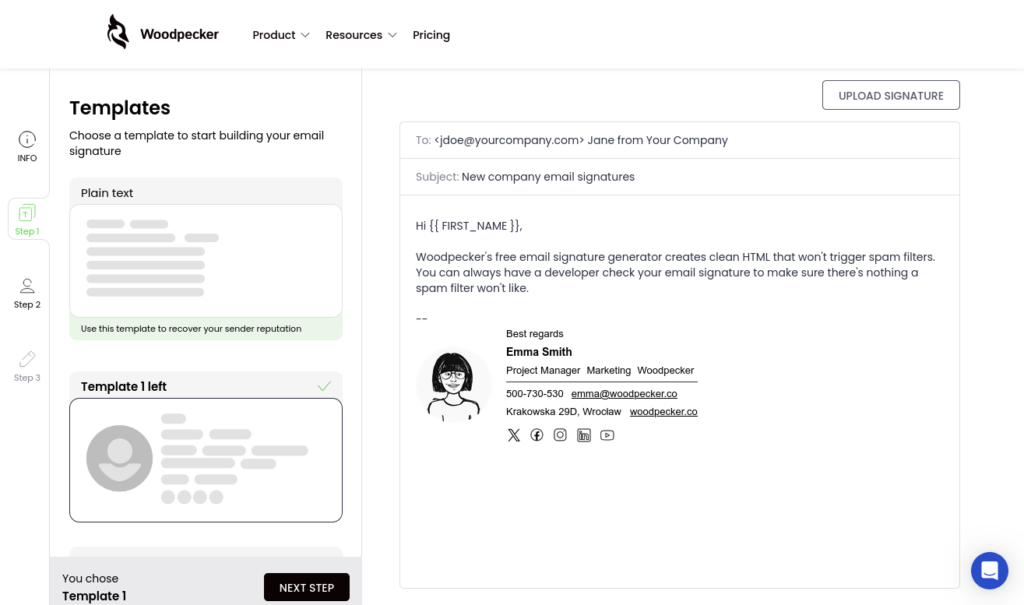
Woodpecker offers a simple and fast email signature generator, suitable for those who need a basic signature without many customization options.
You enter name, job title, company, phone, website, and links, choose a template, and generate the signature. This simplicity serves professionals well who don't need banners, advanced control, or team management.
The focus is on speed and ease, being useful for those who want to solve the basics without complication. However, the templates are limited and may not serve those seeking advanced customization or corporate features.
Woodpecker strengths
Simplicity and speed. Allows creating a functional signature in just a few minutes, with no learning curve.
Woodpecker limitations
Basic design and little customization. Not suitable for team management or more advanced corporate use.
Best for: individual professionals who want a simple, fast, and functional signature.
Quick comparison of MySignature alternatives
- Bybrand is the best choice for companies that need HTML signatures, standardization, and centralized management. It's more suitable for teams that want to maintain visual consistency and reduce manual work.
- HubSpot is ideal for those who want a free and easy-to-use alternative.
- HoneyBook works best with creative professionals and service providers who depend on good personal presentation.
- Canva is excellent for designing the visual concept, but should be used carefully when the final signature needs to be HTML.
- Woodpecker is the simplest option for those who just want a basic and fast signature.
The best alternative depends on your context. A self-employed person may be satisfied with a free tool, while a company with multiple employees probably needs more control, scalability, and consistency.
Which MySignature alternative to choose?
If you only need to create a personal signature, HubSpot may be the best choice to start. It's free, simple, and delivers a professional result without requiring technical knowledge.
If you work with personal branding, HoneyBook also deserves attention.
For those who want to experiment with layouts and create a visual identity before building the final signature, Canva can be a useful tool. Just avoid relying on a signature made only as an image, especially if you need clickable links and good compatibility.
Now, if the goal is to manage signatures for a company, Bybrand stands out as the most robust alternative. It offers more control, better standardization, and features more suitable for teams that need to keep visual communication organized.
Conclusion
There are several MySignature alternatives, and the choice depends on the need. For simple and free signatures, HubSpot or Woodpecker works well. For more creative options, HoneyBook and Canva help at different stages.
Companies, however, need to go beyond design. With multiple employees and campaigns, the signature should be managed as part of the brand identity.
In this scenario, Bybrand stands out as a MySignature alternative for those who need professional HTML signatures, standardization, and centralized control.
A good signature should be beautiful, functional, reliable, and easy to maintain.

Create your first email signature with Bybrand
Bybrand offers the ability to generate, administer, and distribute essential email signatures for your employees.