
This post is also available in:
Key takeaways
- A creative email signature enhances personal branding and leaves a strong first impression with recipients.
- It promotes brand identity and consistency across corporate emails, creating a polished look for all communications.
- Email signatures can support marketing efforts by including CTAs, promotional links, and valuable resources.
- Key elements of an effective signature include your name, contact information, and company logo, alongside optional personal touches.
- Tools like Bybrand make it easy to create engaging, branded email signatures in just a few minutes.
Your email signature can say just as much about you as your email message itself. A creative email signature isn’t just a fun design element; it’s a powerful tool that boosts your personal brand, makes a strong first impression, and improves professional communication.
When done right, it can support marketing campaigns, increase customer engagement, and make business emails more effective. For companies, a branded HTML signature helps keep consistency across departments, from sales and support to HR and management. Think of it as free advertising space with every outgoing email.
And the best part? You can create an email signature in just a few minutes using tools like a free email signature generator.
Whether you’re an entrepreneur, marketer, or team leader, this guide will help you learn how to design an email signature that stands out and gets noticed.
Why a creative email signature matters
Your email signature is often the final impression you leave with your email recipients. Here’s why that matters more than ever.
First impressions in digital communication
You only get one chance to make a good first impression, even via email.
A creative email signature helps add a personal touch to your communications. It shows you care about your image and that you’re detail-oriented.

Whether it’s your own signature or part of a company-wide template, it sets the tone for future communication.
Enhancing brand identity and credibility
Including your job title, company logo, and branded email signature reinforces your business identity. It brings consistency and trust to every interaction.

When paired with your brand colors, an eye-catching layout, and the right graphic elements, your email signature can become an extension of your brand.
Consistency across corporate or professional emails
If you’re managing an entire organization, having a unified, professional email signature across all email accounts ensures consistency. This is especially important for customer-facing roles like support or sales, as it looks polished and reinforces brand recognition.

Even for smaller teams, aligning your email signature design helps keep communication on-brand.
Marketing, sales, and support benefits
Email signatures can do more than display contact details.
For marketing and sales teams, they’re perfect for:
- embedding a call to action (CTA)
- linking to a new blog post
- adding a banner for a promotion
- collecting customer feedback
For support, a well-placed link to a help center or self-service portal can reduce ticket volume. Recipients can easily find answers to common problems instead of reaching out to your support team as their first port of call.

Key elements of a great email signature
There’s no need to overcomplicate things. A basic email signature that’s well-designed and informative can be very effective. Here are the must-have elements:
- Name and job: Start with the basics. Let people know who you are and what you do.
- Company name and logo: Add credibility and a visual element. A business logo ties everything back to your brand.
- Contact information: Include your phone number, email address, website, and physical location if relevant.
- Social media icons/links: Add hyperlinked social media icons to your profiles for extra visibility.
Beyond these basics, you could also include:
- A flattering headshot or professional photo for a personal touch
- A CTA like “Book a demo” or “Leave a review”
- A short quote, email disclaimer, or legal notice
- An animated email signature image or GIF (as long as it enhances your message and doesn’t slow down loading)
8 Tips for creating a creative email signature
Follow these simple tips and best practices to make sure your own email signature looks remarkable and is engaging:
- Keep it simple: Don’t overwhelm the reader. Limit yourself to essential contact information and 1 – 2 optional elements.
- Use visual hierarchy: Highlight your name or job title using bold fonts or color contrast. Guide the eye naturally from top to bottom.
- Stay on-brand: Use your company’s color palette and brand fonts. Match the same color scheme as your website or other digital assets.
- Avoid clutter: Too many links, banners, or icons can confuse people. Prioritize what matters most.
- Use high-quality images: Make sure any images you use, like your company logo, social media icons, and headshots, look crisp on all screen sizes. And, instead of using just an image, try to link it somewhere relevant for greater engagement.
- Design for mobile: Many people check emails on mobile devices. Your design should be responsive and scale nicely across devices.
- Add social media links: Choose only the platforms relevant to your audience. Don’t add every single profile.
- Save space: If you’re using Apple Mail or Microsoft Outlook, test how your signature displays in those email clients to avoid unnecessary breaks or misalignment.
Examples of creative email signatures
Need some email signature ideas? Below are some professional email signature examples that show how design, branding, and creativity can work together to make an impact. These are some of the best email signature examples across various industries.
Example HTML signature with useful links.
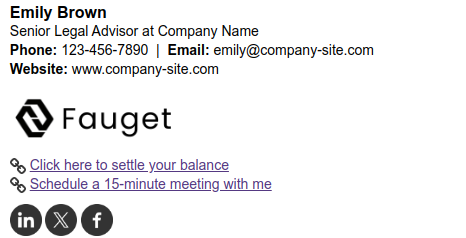
Professional signature template that includes a custom link for collecting customer feedback (CSAT) and a promotional banner, demonstrating how interactive elements can be effectively integrated.

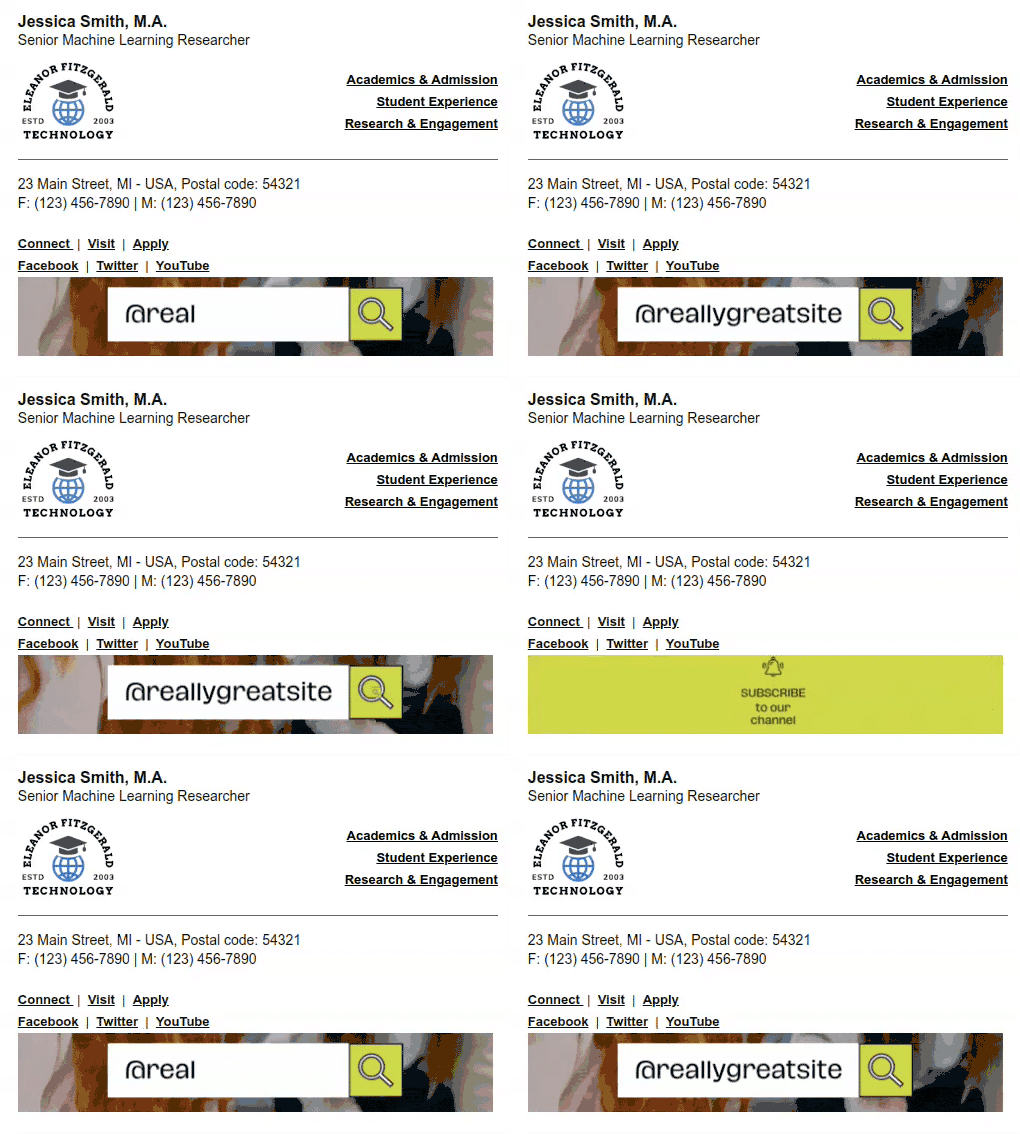
One cool example is our animated GIF email signature designed specifically for YouTube creators, which adds a dynamic touch and draws attention to your channel.
Extras
How to create an elegant email signature with Bybrand
Creating a professional email signature doesn’t have to be difficult. With Bybrand, you can create email signatures using a powerful visual editor built for teams and individuals.
Video tutorial:
Here’s a simple step-by-step process to get started:
- Go to Bybrand’s editor and log into your account.
- Select from various professionally designed email signature templates that you can customize to match your brand.
- Fill in your name, job title, company name, and contact details.
- Add your company logo, flattering headshot, or custom icons. You can also add animated GIFs or banners for announcements.
- Add hyperlinked social media icons that lead directly to your company’s or personal profiles.
- Adjust fonts, colors, spacing, and layout to reflect your brand. Stick with your brand colors to keep things cohesive.
- Include a small banner or button with a message like “Schedule a call” or “Read our latest blog.”
- Preview on different screen sizes to make sure your signature looks great on both desktop and mobile devices.
- Send a few test messages from your email account (like Gmail, Apple Mail, or Microsoft Outlook) to see how your brand-new email signature renders.
- If you manage an entire organization, use Bybrand’s tools to apply the same email signature across multiple accounts.
With Bybrand’s email signature generator, you can create email signatures that are polished, branded, and ready to support your marketing goals—all in just a few minutes.
Closing everything
Your email signature is more than just a sign-off. It’s a small but powerful part of your digital identity.
Whether you’re representing a company, working in sales or support, or simply want to elevate your personal brand, having a creative email signature can make a lasting impression.
It helps build trust, improves professionalism, and opens new avenues for engagement. With tools like Bybrand, it’s easier than ever to create something truly eye-catching, even if you’re not a designer.
Don’t settle for a boring block of text. With the right signature design and strategy, every email you send becomes an opportunity to connect, inform, and convert.

Manage email signatures with more control
Bybrand helps companies generate, administer, and distribute email signatures for employees in one place.