
This post is also available in:
A CEO email signature represents much more than a block of information at the end of a message. It conveys credibility, reinforces the company’s identity, and helps build trust in every professional interaction. A well-structured CEO email signature transforms any email into an extension of the brand.
When investors, partners, customers, or suppliers receive a message from the chief executive officer, the details make a difference. An organized HTML signature communicates professionalism even before the email is fully read.
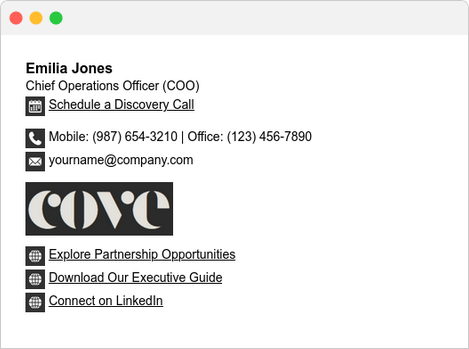
In this guide, you will learn what information to include, errors to avoid, layout examples, and best practices for creating a modern signature.
Why does the CEO’s signature deserve special attention?
The CEO typically represents the company in the most important communications.
- Business negotiations.
- Investor relations.
- Strategic partnerships.
- Contact with large-scale clients.
In all these cases, the signature conveys a first impression.
While employees may use a standard institutional template, the CEO usually directly represents the organization’s highest authority. This makes their signature an important element of corporate identity.
Furthermore, it reduces doubts about legitimacy, facilitates new contacts, and strengthens the institutional image.
What should a CEO email signature include?
A good signature does not need to be extensive. In fact, less is usually more.
The main elements are:
- Full name
- Job title (CEO, Founder, or Executive Director)
- Company name
- Corporate logo
- Professional photo (optional)
- Phone number
- Website
- Business address (when necessary)
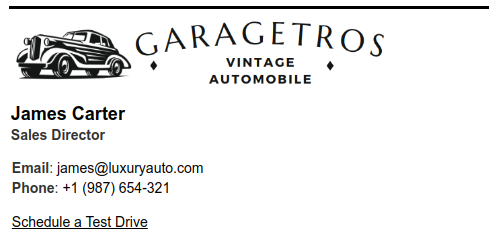
It is also worth including a discreet CTA, such as:
“Schedule a meeting.”
“Discover our products.”
“Visit our blog.”
Information you should NOT include
A common mistake is turning the signature into a mini-resume.
Avoid:
- long motivational quotes;
- excessive social media links;
- animated GIFs;
- multiple colors;
- various fonts;
- oversized images;
- five different phone numbers;
- outdated banners.
The cleaner the signature, the more professional it will appear.
The importance of minimalist design
The best CEOs in the market typically use discreet signatures.
The goal is not to draw attention through design. The goal is to convey trust.
Therefore:
- use a maximum of two colors;
- maintain a good visual hierarchy;
- use simple typography;
- highlight only the name;
- preserve white space.
This type of organization improves readability on both desktop and mobile devices.

Photo or logo?
This is a very common question.
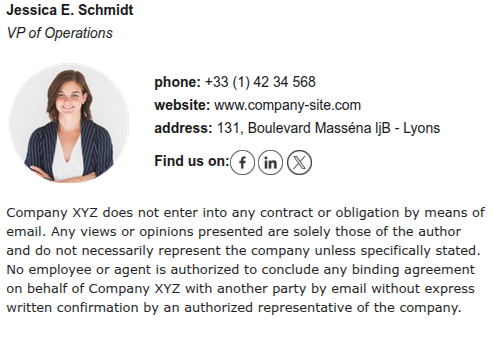
A professional photo brings the executive closer to the recipient and humanizes the communication.
The logo, on the other hand, reinforces branding.
In most cases, using both produces excellent results, provided the layout remains clean.

Or an email signature with only the CEO’s headshot.
Responsiveness also matters
More than half of corporate emails are now opened on mobile devices.
Therefore, a signature needs to work across different screen sizes.
Prefer:
- width between 320 and 480 pixels;
- optimized images;
- clickable buttons;
- legible fonts.
A signature that looks beautiful on a computer but broken on a mobile phone conveys a lack of care.
Example of a responsive email signature for a CEO or executive:

See also:
Email signature templates for executives and CEOs
Below are more common styles that work well for leadership. Use them as a reference to choose what fits the moment and the brand.
Highlighting company and location
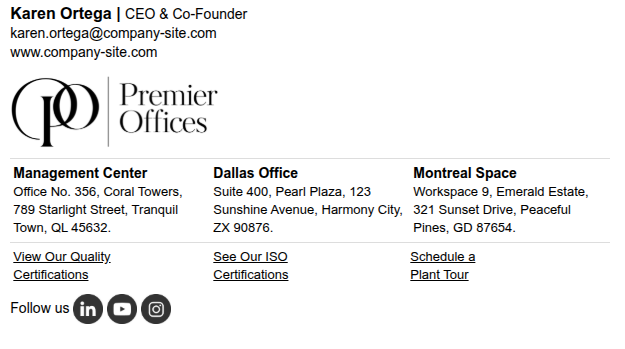
Clearly visible name and title, prominent branding, and address with an icon (when physical presence is relevant). Works well for traditional businesses, offices, and local operations.
Minimalist with banner + strategic link
A super clean signature with a banner, which could be “Listen to our podcast” or “View our report…”. This draws attention without looking like an advertisement. Works very well for single CTAs.

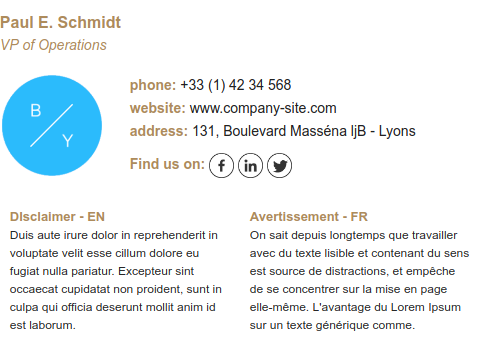
Institutional focus + disclaimer
Great for companies with international operations. The visual can emphasize the logo, and the legal disclaimer (if necessary) follows below in two languages.
Keep the legal disclaimer small and legible — and only if it is truly required.
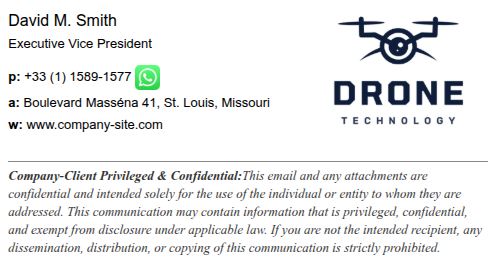
Phone as the protagonist (when it makes sense)
If the CEO has direct contact and the phone is the primary channel, highlight it. You can also link directly to WhatsApp or a call (especially in more conversational markets).
For more examples of executive signature templates.
How to create a professional signature quickly
Creating a signature from scratch requires HTML knowledge and testing across different email clients.
For this reason, many companies use a signature manager that allows for standardization across the entire team.
In addition to visual consistency, this facilitates updates to titles, phone numbers, campaigns, and banners without relying on manual changes.
Discover the complete email signature editor, which helps you create better email signatures.
Frequently Asked Questions (FAQ)
Should the CEO use a photo in the signature?
Yes. In many industries, a photo increases trust and makes communication more personal.
Can the signature contain social media links?
Yes, as long as they are professional, such as LinkedIn and the company website.
Can I include a promotional banner?
Yes, but it should be discreet and relevant to the communication strategy.
What is the ideal size?
Between 320 and 600 pixels wide, prioritizing mobile compatibility.
Conclusion
A CEO email signature goes far beyond informing name and title. It represents the company’s leadership, strengthens brand identity, and conveys professionalism in every message sent.
By maintaining a clean design, including only essential information, and using a consistent standard, your company improves the perception of credibility and creates a more professional experience for clients, partners, and investors.
And at the end of the day, that is what you want: an executive presence that conveys trust even before the first sentence of the email.

Create your first email signature with Bybrand
Bybrand offers the ability to generate, administer, and distribute essential email signatures for your employees.