
This post is also available in:
The email signature sharing feature allows you to generate a public and individual page for each email signature, making deployment easy and avoiding complex technical configurations.
This page can be sent directly to the employee, who can:
- Make small allowed edits (when enabled)
- Copy the ready-to-use signature
- Use it in Gmail, Outlook, or other email clients
How does email signature sharing work?
When you create an email signature, Bybrand generates a unique public link. Each link represents a specific signature, already rendered with the employee’s data.
There are several ways to access the shared email signature link. The most practical one is directly from the signature list.
Here is an example:
Alternatively, you can click to edit or paste the signature, then click the More button, and select Share.
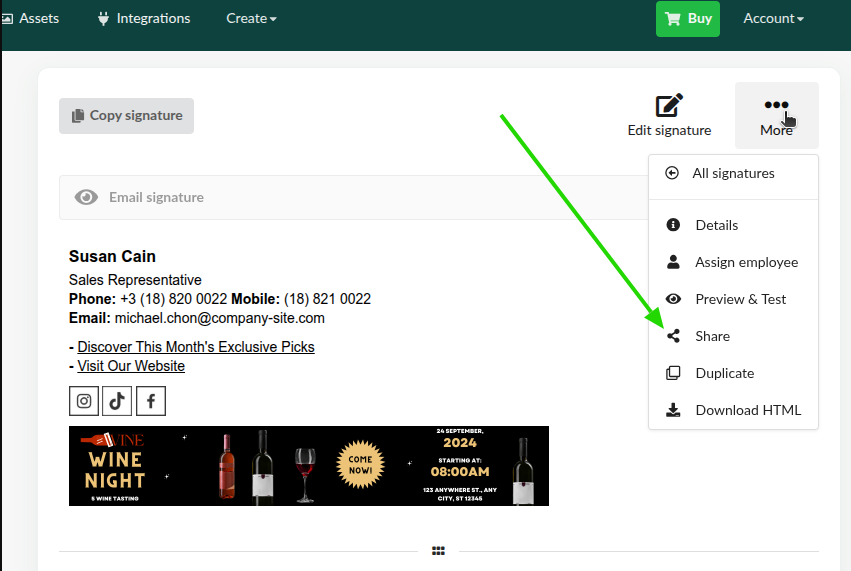
You can then copy the public link or open it directly in your browser.
How to send the shared email signature link
Here are some common ways to share the email signature link:
- Send the link by email
- Share the link through an internal communication channel, such as Slack
- Send the link via SMS
Using the shared email signature page
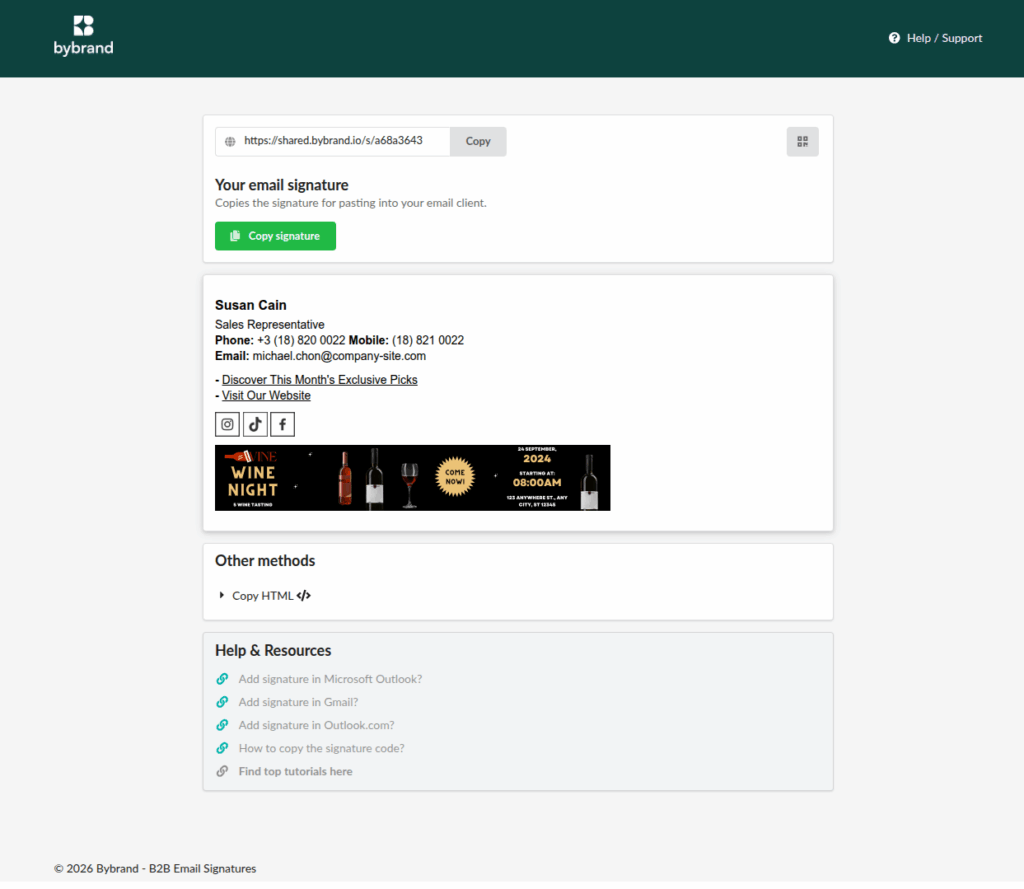
When opening the shared page, the employee will find:
- The email signature is ready to use
- Copy signature button
- Copy HTML option
- Help links for Gmail and Outlook
- (Optional) Simple editing of data
This page works in any browser and does not require login.
Simple editing
Simple Editing allows employees to edit only basic fields, without the risk of breaking the layout or the brand’s visual standard. This way, any employee with the link can quickly fix small mistakes. Learn more.
Commonly allowed fields:
- Name
- Job title
- Phone number
- Address
Video tutorial
Watch the complete video showing how to share an email signature.
Sharing email signatures in bulk
You may also want to see how to send email signatures to multiple employees at once.
Branding
You can add a custom logo and define a color theme to apply your company’s branding. This removes Bybrand branding from both the shared signature page and the emails sent to employees.
Finally, if you have any questions or run into any issues while sharing email signatures, please contact our support team.