
This post is also available in:
Integration placeholders are a feature that helps to create an email signature quickly for a specific platform. When activated, the placeholders are available in the Bybrand editor.
For example, in Intercom, the variables will be available in the editor by typing two double curly brackets {{.
Video:
Variables work in email signature inboxes, such as those used in Help Scout, Front, and MS Exchange. When you paste the email signature into the platform, these fields are automatically replaced with individual details for each user, such as their name, position, phone numbers, and other fields from the support agent’s profile.
Why use it?
The main benefit is the need for a smaller number of email signatures. It is not necessary to create a unique HTML email signature for each user. By using placeholders, it is possible to create a single signature for multiple users who are connected to the same inbox.
Example for Microsoft Exchange:
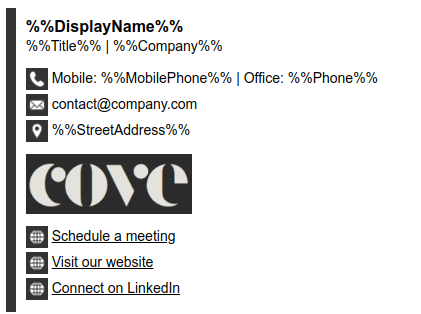
In addition, the integration of placeholders ensures that the user’s signature information is always up-to-date, since the data is pulled directly from each platform. This saves time in managing signatures and ensures that all information is accurate and up-to-date.