
This post is also available in:
In Automation, has the feature that allows you to bulk update employee email signatures. With a single click, you can send the HTML email signature to the selected employees’ email client.
This can be useful to save time. For example, you can bulk update all Freshdesk support agents’s signatures.
How to bulk update?
First, visit an automation with an integration. This feature is not available for all integrations, but the main integration with Google Workspace and Zoho CRM has the option.
- Automation -> Employees -> More -> Bulk update.
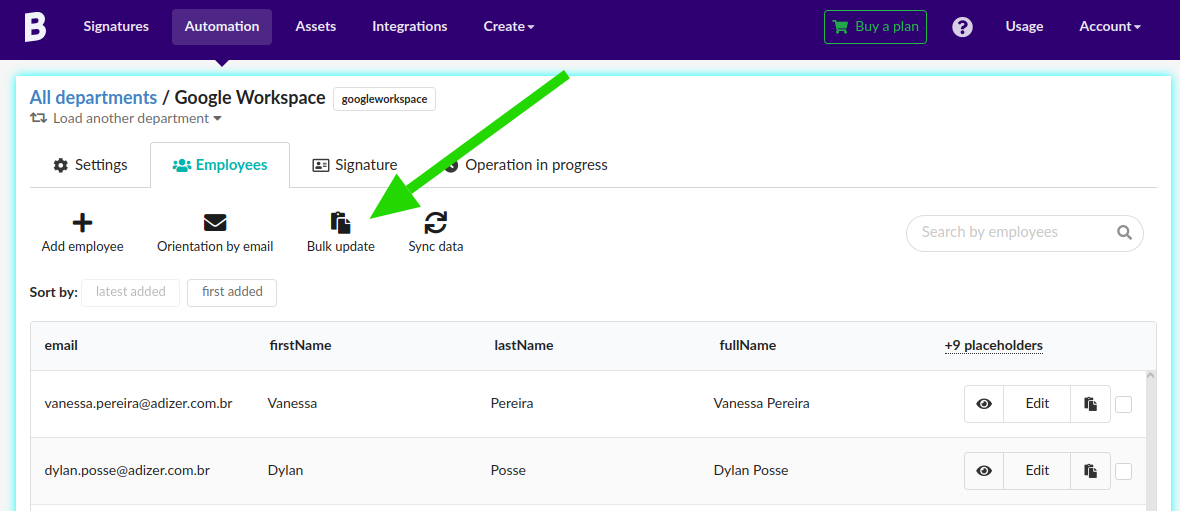
Next, select the employees on the list that you want to update the signature directly in the email client, for example, on Google Workspace Gmail or a Freshdesk support agent.
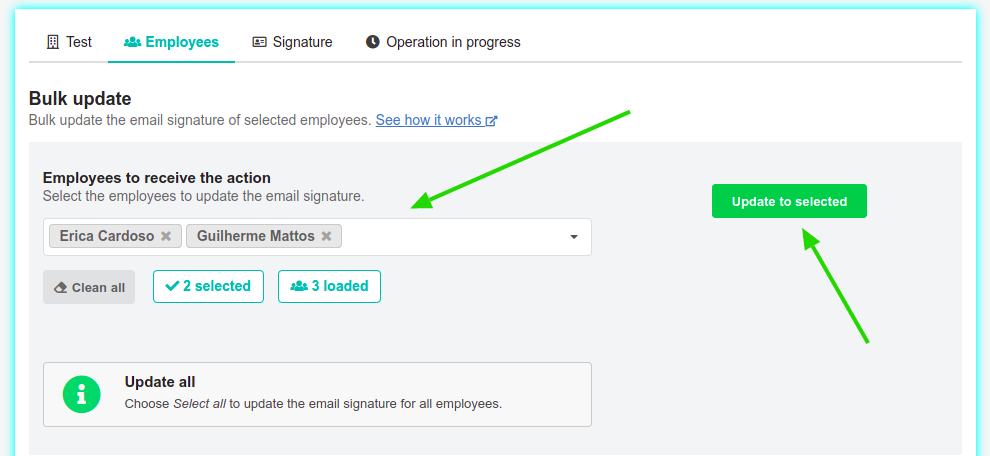
Note that you can also choose the Update all option to update the email signature for all employees in the automation.
By clicking the Update to selected button, you can follow the result in the Operations in progress menu.
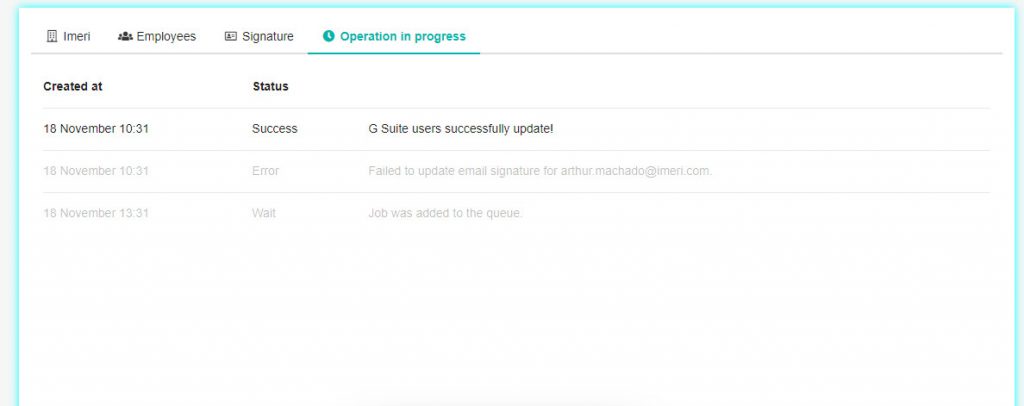
In this area, you can see the previous action logs. That way, you can see if there is an error or success when updating an email signature for employees.
Integration unlinked
If the integration is disconnected from the settings for any reason, you’ll need to link it to the group again. A warning message always appears when the automation has no domain connected.
Example of an error when trying to run the Bulk update action.
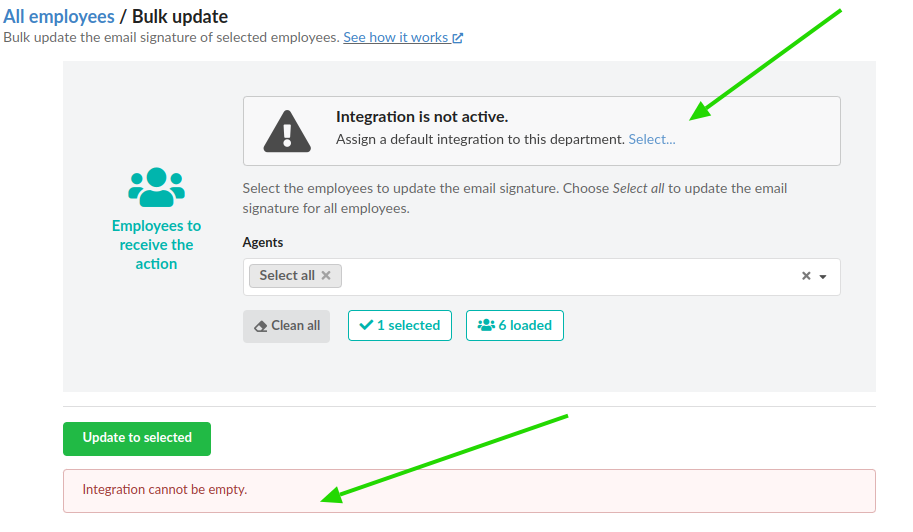
To fix this issue, link the integration domain by clicking the Select link. Once you save the change, return to the Bulk update menu, and the warning message will no longer be displayed.
Example bulk update for Google Workspace
You can learn two ways to update an email signature to a Gmail account using Bybrand.
The first option is using the Individual update, and the second is using the bulk-update email signatures for Google Workspace users (in Automation).